Point Cloud Viewer
Upload a scan and open it in Chrome, Edge, Firefox or Safari. Nothing to install, no workstation needed. Colour it by RGB, elevation, intensity or classification, measure it, and send the project as a link your client can open without creating an account, even on a mobile device.
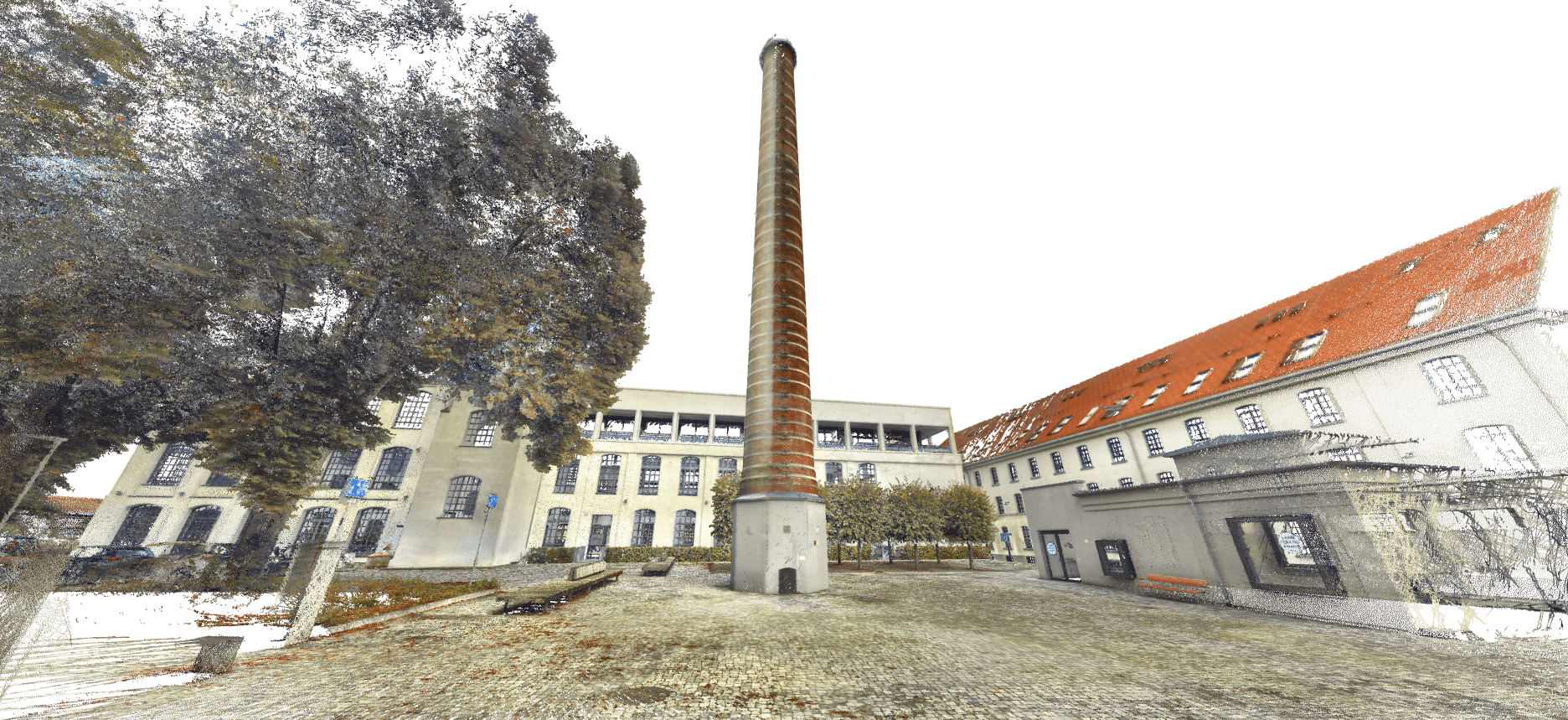
Large scans without a large workstation
Point clouds stream into the viewer progressively, so a 200 GB survey opens about as quickly as a 50 MB one. The detail fills in as you move closer. A standard office laptop or a tablet is enough, which matters when the person who needs to see the survey is a project manager or a client rather than a CAD technician.
Projects scale from a few megabytes to several terabytes. The data stays in the cloud, so there are no hard drives to post and no copies to keep in sync.
Ways to colour a point cloud
Switch the colouring to answer a different question. Hide the classes you don't need and adjust point size and level of detail for the scene.
RGB
True colour from the scanner's camera. The quickest way for a non-specialist to recognise the site.
Elevation
A colour ramp by height. Good for falls, floor levels, terrain and anything where a few centimetres matter.
Intensity
Return strength of the laser. Road markings, signs and material changes often stand out more clearly than in RGB.
Classification
Ground, vegetation, buildings and other classes from the source file. Turn classes off to see what's behind them.
Example
A building survey the client actually opens
A surveyor delivers an E57 of an office building to a property team who want to brief an architect. Instead of a hard drive and a list of files, the client gets a link. Saved views take them straight to the plant room and the third-floor ceiling void, and clear layer names help them find their way around the rest of the building.
The client checks a few ceiling heights with the measure tool and forwards the link to the architect, who drops their own IFC over the scan to see how the proposed layout fits. The surveyor still has the original files for formal delivery.
- Sent
- One password-protected link
- Recipient needs
- A browser on any device. No account.
Supported scanners and formats
SkyGIS doesn't care which scanner made the data, as long as it is exported to a standard format.
- Point cloud files
- LAS, LAZ, E57 and ASCII. Pro adds Autodesk RCS.
- Capture types
- Terrestrial (TLS), mobile (MLS), airborne (ALS), UAV (ULS) and handheld SLAM.
- Manufacturers
- Trimble, Leica, Riegl, Z+F, FJDynamics, CHCNAV, and many more.
- Also supported
- IFC, LandXML, DWG, DXF, SHP, GeoPackage, GeoJSON, KML, GeoTIFF, JPEG 2000 and 360° panoramas.
Questions
Do I need a workstation or desktop software to view point clouds?
No. SkyGIS runs in Chrome, Edge, Firefox or Safari, and large scans stream in as you move, so an ordinary office laptop or iPad is enough. That puts the survey in front of project managers and clients, not only CAD technicians.
Can my client open the point cloud without an account?
Yes. Share the project as a link with an optional password and expiry date. The recipient opens it in a browser on a laptop, tablet or phone without signing up.
Is there a size limit for point clouds?
Each file can be up to 100 GB, and larger files are skipped with a warning during upload. E57 uploads also have a limit of 32 files and 100 GB in total per batch, and you'll get a warning if you go over either. Your total project storage depends on your plan.
Can I try it for free?
Yes. The free plan includes one user and 5 GB of storage, with no credit card. Paid Viewer plans add users and storage as your team grows.
Open your own scan in the browser
Start on the free plan with 5 GB of storage. Upload a LAS, LAZ or E57 file and send yourself the link to see what a client would see.