3D Drawing & Vector Editing
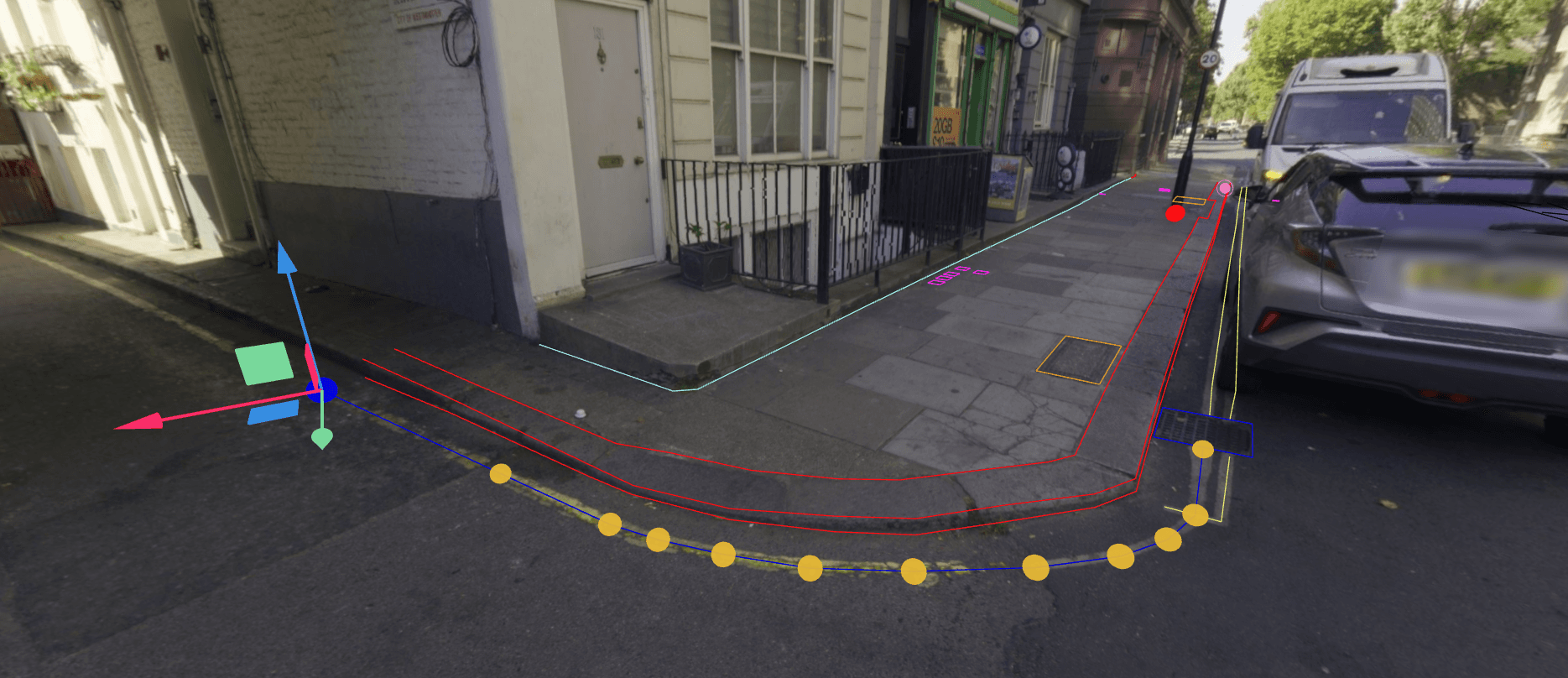
Trace kerbs, wall lines, floor plans and ironwork on the point cloud itself, in a browser, with vertex, midpoint and edge snapping. A 360° panorama helps you recognise what you're tracing, while the point cloud underneath supplies the 3D position, so photos alone aren't enough. The result is an ordinary vector layer you can attribute and export to DWG, DXF, Shapefile or GeoPackage.
- Geometry
- Points, lines, polygons, surfaces
- Draw on
- Point clouds; panoramas provide visual context
- Export
- DWG, DXF, SHP, GPKG
Digitising from panoramas and point clouds together
A point cloud has the 3D positions but can be hard to read up close. A panorama shows you that the shape is a door frame, kerb edge or cover, and you place the geometry on the point cloud underneath. The photo gives you context, not position, so images on their own won't let you draw in 3D.
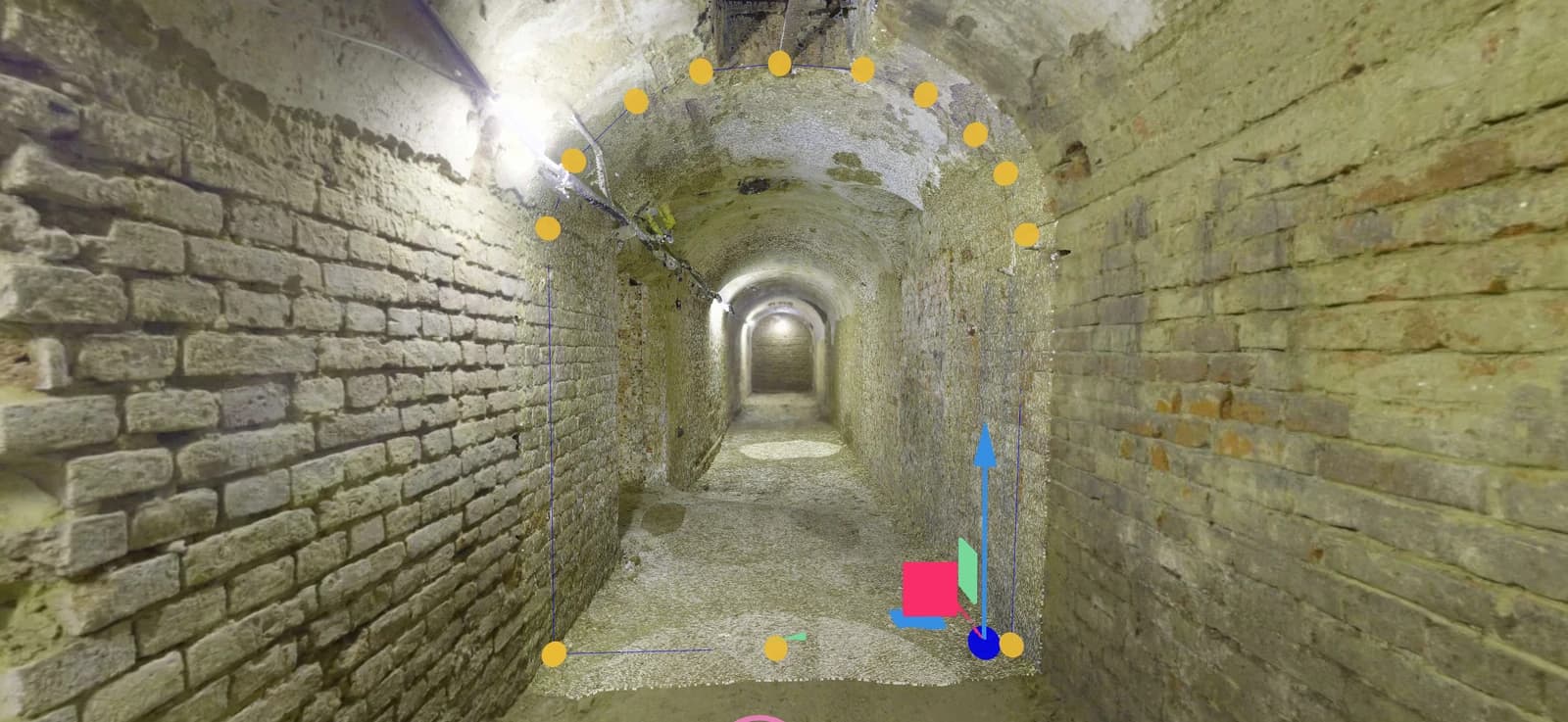
Indoors that means floor plans, wall lines and openings. On a street it means kerbs, building lines, markings and ironwork. There's no CAD software to install, and no copying positions by eye from one application to another.
Snapping, editing and export
Choose a target vector layer and a geometry type (point, line, polygon or surface) before you start. Then:
Snap
Vertex, midpoint and edge snapping, so a new kerb line starts exactly where the last one ended.
Edit
Move vertices with the 3D handle, reshape lines and polygons, and undo or redo as you go.
Attribute
Give each feature a name and properties, such as a cover type or a wall material, and see them in the attribute table.
Export
Send a whole layer or a selection to DWG, DXF, Shapefile or GeoPackage, in project coordinates or WGS84.
Example
Topographic detail from a mobile mapping run
A survey firm has captured a town-centre street with a mobile mapping system: point cloud plus panoramas. The client's designer wants kerbs, building lines, road markings and covers for a resurfacing scheme.
A technician uses the panoramas to identify each feature and traces it on the underlying point cloud into its own vector layer, snapping each new kerb line to the end of the last. Every cover gets a point with its type filled in. The layers go to the designer as DWG in the project coordinate system, with a link to the project so they can check anything odd against the scan.
- Input
- MLS point cloud and panoramas
- Output
- DWG layers in project coordinates
Drawing by hand vs automatic extraction
3D drawing is for
- Features you can see but that follow no simple rule: kerbs, walls, outlines
- A specific set of features for one client or design
- Checking every vertex as it goes in
It doesn't
- Extract features from a scan automatically
- Create 3D geometry from photos alone
- Edit features while a project is offline
- Let project members edit without an editing role
Questions
Can we produce CAD linework from a survey without desktop software?
Yes. Technicians trace kerbs, walls, building lines and covers on the point cloud in a browser, using panoramas for visual context when available, then deliver the layers as DWG, DXF, Shapefile or GeoPackage.
Can I draw on 360° panoramas?
You draw on the point cloud, not the photo. The panorama is shown together with the point cloud, so you can see what you're tracing and snap to it accurately.
Does SkyGIS extract features automatically?
No. Drawing is manual: you place and check each vertex yourself, with snapping to help align the geometry.
Who on the team can draw and edit?
Project members whose role allows editing, on SkyGIS Pro. Everyone else can view and measure without changing the data. Editing isn't available while a project is offline.
Does SkyGIS Viewer include drawing tools?
Viewer has points of interest: mark a location, list it in the attribute table and export it. Drawing and editing lines, polygons and surfaces is part of SkyGIS Pro.
Trace a few features on your own survey
Bring a scan or a mobile mapping run to a 30-minute walkthrough and see the drawing tools working on your data.