Check utility records against a site survey
Load the utility records you've been given (CAD drawings, GIS layers or a provider's WMS) over a survey of the same street and check them against what was captured. From there you can search the attribute table, attach photos and documents to the right feature, mark problems as points of interest and export what the next person needs. All of that is SkyGIS Viewer; changing geometry or attribute values is Pro.
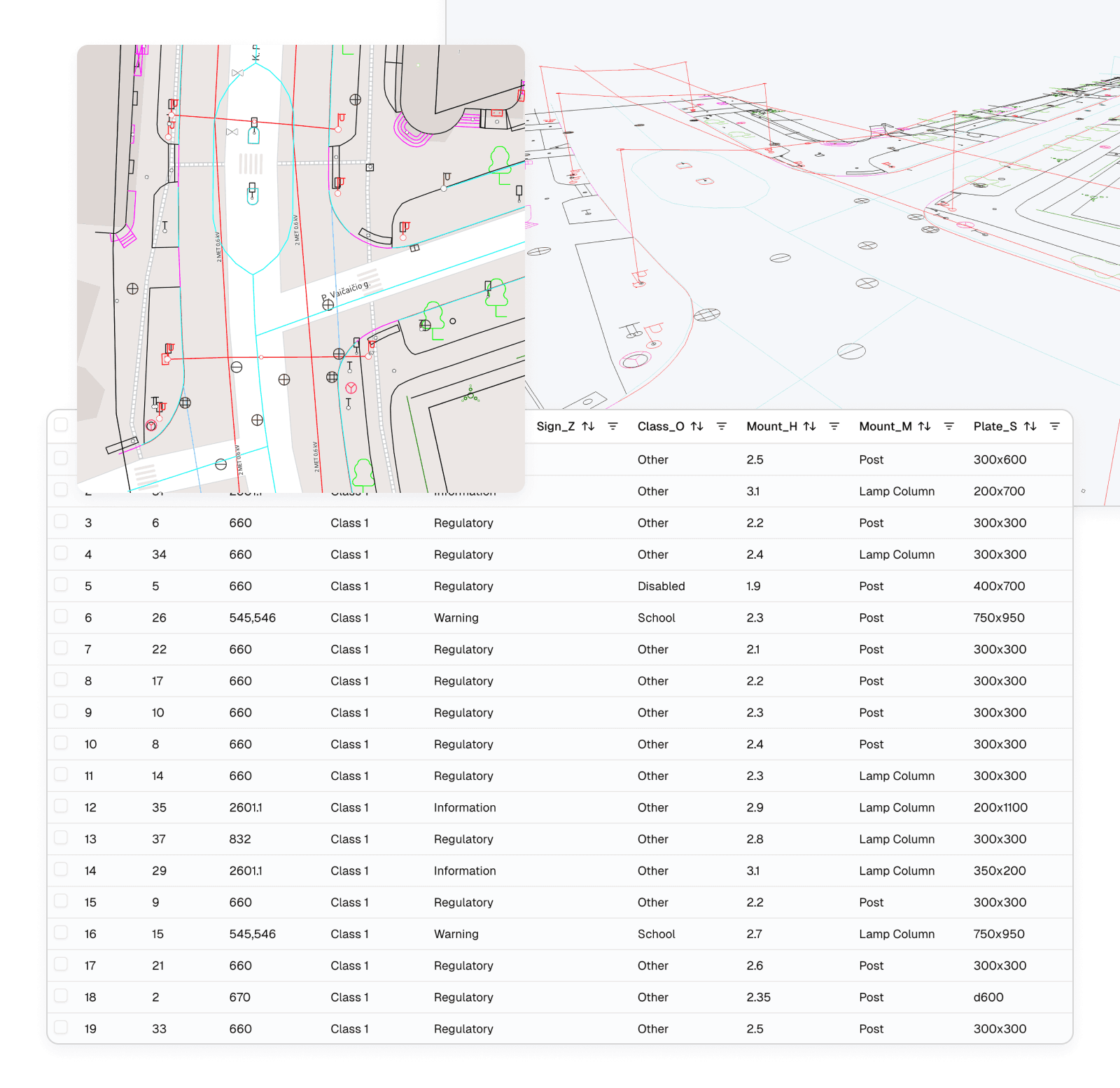
What goes into a utility records project
Set the source coordinate system and units on import, then check placement against a few features you can see in the scan.
- CAD and GIS records
- DWG, DXF, SHP (with its companion files), GPKG, GeoJSON, KML and KMZ
- Map services
- WMS and WMTS layers, such as underground utility or cadastral maps
- Site evidence
- Point clouds (LAS, LAZ, E57), 360° panoramas and orthophotos (GeoTIFF, JPEG 2000)
- Attachments
- Photos and documents on individual features
- Exports
- DWG, DXF, SHP or GPKG, as a whole layer or a selection, in the project CRS or WGS84
Typical job
Checking a street's records before design starts
A design team is about to start on a street refurbishment. They have the utility drawings as DWG, a Shapefile of street furniture and a mobile mapping survey of the street with panoramas.
In one project they lay the records over the point cloud, add the utility provider's WMS layer and work along the street. Where a recorded cover or chamber doesn't match what the scan shows, they mark it with a POI and attach a site photo to the feature. The POIs are exported for the survey brief, and the features the designer needs go out as DXF.
- Records
- DWG, Shapefile and a WMS layer
- Evidence
- Mobile mapping point cloud and panoramas
- Handed on
- Exported POIs and a DXF of selected features
Viewer or Pro for utility asset records?
Reviewing records against site evidence is Viewer. Changing the records themselves is Pro.
SkyGIS Viewer
- View, search, filter and sort attribute tables
- Select a record to highlight the feature in the scene
- Attach photos and documents to features
- Mark locations as POIs and export them
- Measure distances, heights and areas
- Export layers or selections to DWG, DXF, SHP or GPKG
SkyGIS Pro adds
- Draw points, lines and polygons on the survey with snapping
- Edit feature geometry
- Edit attribute values one at a time or in bulk
Questions
Can SkyGIS check our utility records against the site?
Yes. Load the CAD drawings, GIS layers or a provider's map service over a survey of the same street and compare what the records say with what was captured. Where they disagree, mark the spot and attach the evidence to the feature.
Which plan do we need for asset records?
Reviewing records against site evidence is SkyGIS Viewer: search the tables, attach photos and documents, mark problems and export. Editing geometry or attribute values and drawing new features are SkyGIS Pro.
Can SkyGIS find buried pipes?
No. A scan only records visible surfaces, so buried services still come from your records and other survey methods.
Does SkyGIS replace our asset management system?
No. It keeps geometry, attributes and evidence together, but it doesn't assign tasks, track deadlines or run work orders. Records go back out as DWG, DXF, Shapefile or GeoPackage for the systems you already use.
Start with one street
Load a DWG or Shapefile of the records and a scan of the same stretch, then check the attribute table against what the survey shows.