Client Sharing & Saved Views
A share link opens your project, point cloud, drawings and models included, in Chrome, Edge, Firefox or Safari. The person you send it to doesn't need an account or any software. Each link has an expiry date and an optional password, and you can let recipients drag their own IFC, DWG or LandXML over the survey to check the fit.
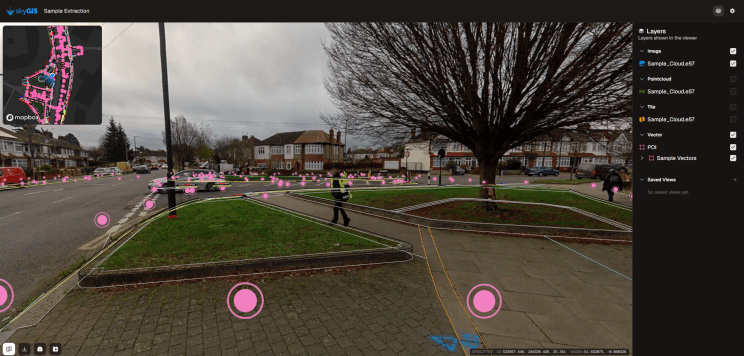
- Recipient needs
- A browser, any device.
- Link settings
- Expiry date, optional password
- Recipient uploads
- IFC, DWG or LandXML up to 10 MiB
Managing share links after you send them
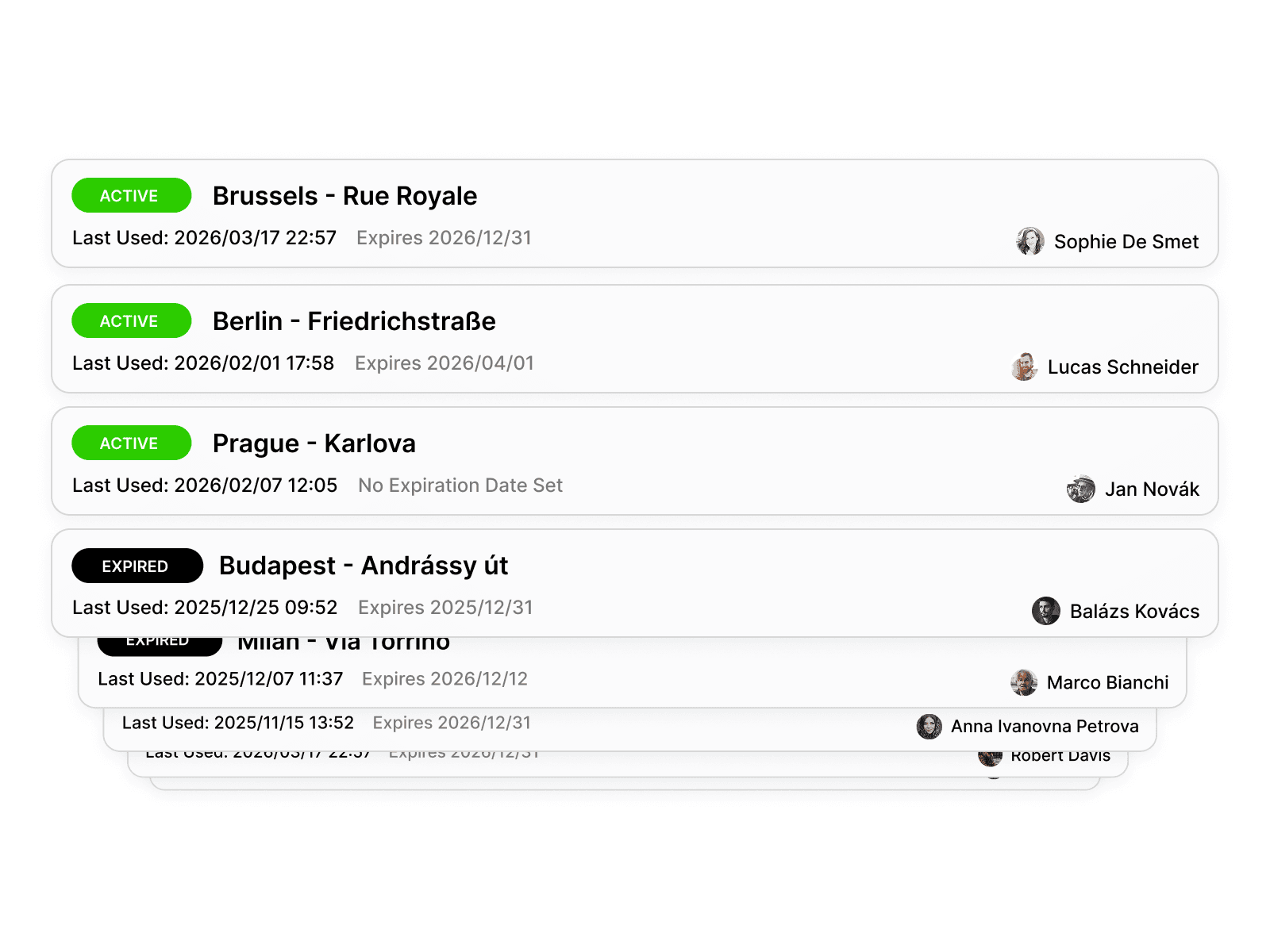
Every link you create is listed in the project's sharing panel with its status (Active or Expired), when it was last used, when it expires and who created it. Visit counts are recorded for each link as a total.
That answers the question a survey manager usually has a week after delivery: has the client opened it yet? Links are cryptographically signed, and once a link passes its expiry date it no longer opens the project.
Example
An architect checks a model against the survey
A surveyor has scanned a row of shops that an architect is about to redesign. They create a link with a two-week expiry and a password, allow temporary uploads, and email the link to the architect with the password sent separately.
The architect opens it on a laptop, drags the IFC of the proposed shopfronts onto the scan and checks where the new frontage meets the existing walls. The model stays in the architect's browser session. Nothing is added to the surveyor's project, and the next person to open the link sees the survey as delivered.
- Architect needs
- A browser and the password
- IFC upload
- Up to 10 MiB, session only
Questions
Does the recipient need a SkyGIS account to open a shared link?
No. They open the link in Chrome, Edge, Firefox or Safari, with no software to install. If you set a password, they need that as well.
Can I tell whether a client has opened the link?
Yes, roughly. The sharing panel shows when each link was last used and a total visit count. It isn't a log of who visited.
Can clients check their own designs against my survey?
Yes, if you allow uploads on the link. They drag an IFC, DWG or LandXML of up to 10 MiB over the survey for their session. Nothing is saved to your project, and the next person sees the survey as delivered.
How do I stay in control of shared data?
Every link has an expiry date and an optional password, and it stops opening the project once it expires. For a sensitive site, send the password separately from the link.
Create your first share link
Upload a scan on the free plan (one user, 5 GB, no credit card), create a link with a password and open it in a private browser window. That's the view your client gets.