IFC & BIM Viewer
Open an IFC file in a browser and lay it over the scan of the building it describes. The model tree, element properties and quantity sets are all there, along with clip boxes and measurement. Nobody in the review needs Revit, ArchiCAD or a BIM licence.
- Opens
- IFC, alongside scans, CAD and LandXML
- Inspect
- Model tree, properties, quantity sets
- Scan-to-model deviation
- SkyGIS Pro
Design model against the as-built scan
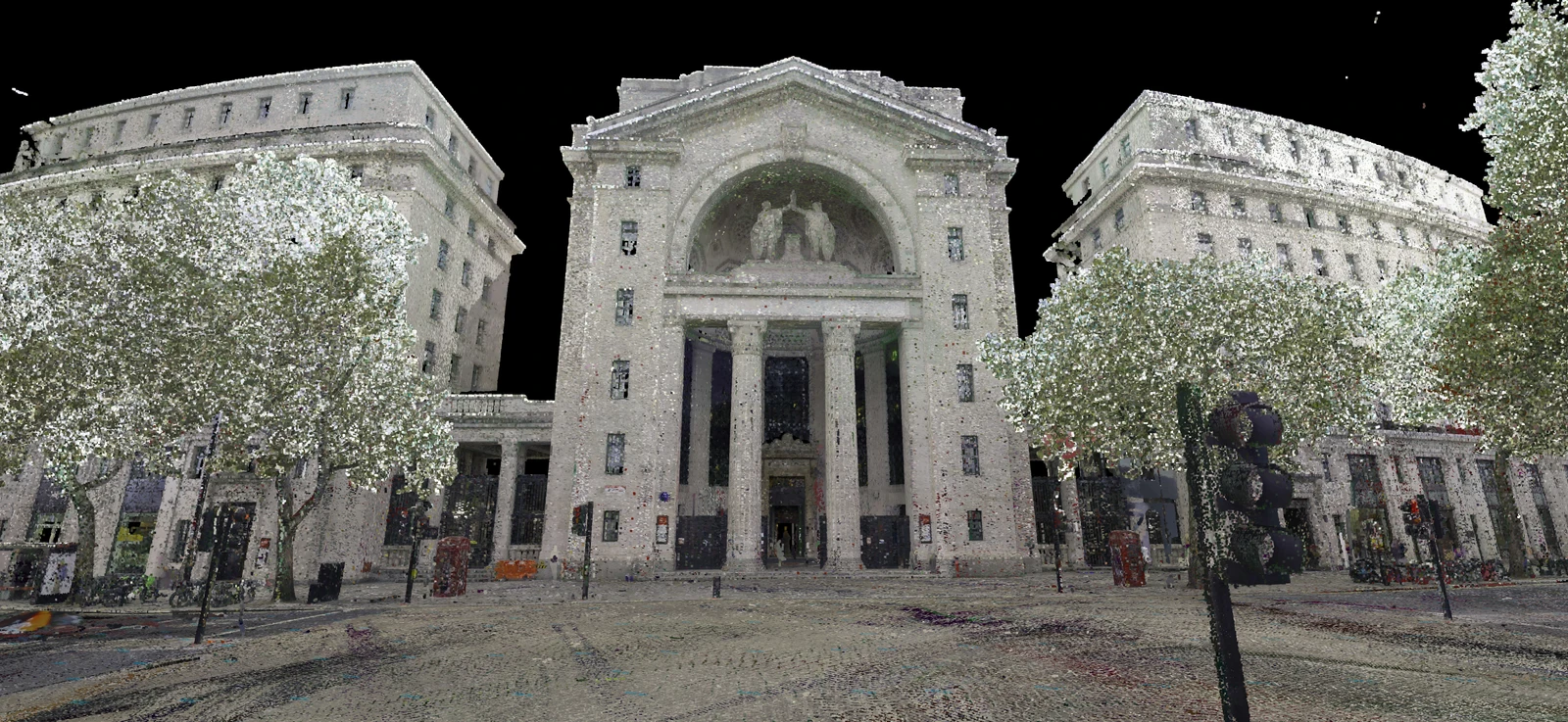
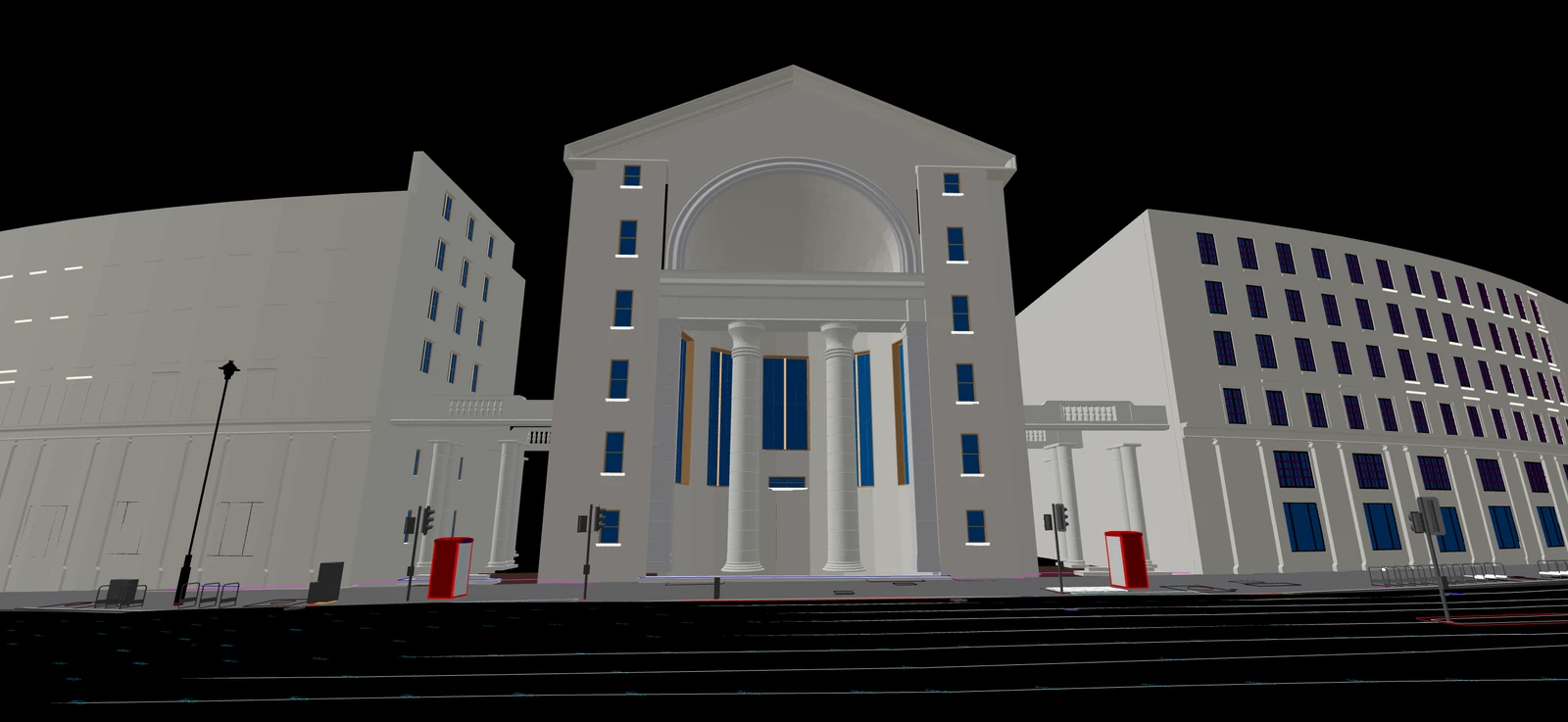 Design modelAs-built scan
Model tree, properties and quantity sets
The model tree lists the IFC by its spatial structure: site, building, storey, then the elements on each storey. Pick an element in the tree or click it in the 3D view and its IFC properties open next to it. From there you can hide elements, isolate a storey, or change the model's opacity and colouring so it reads against the scan.
Select a group of elements and the quantity panel totals the quantity sets that came with the export, such as lengths, areas and volumes. If the exporter didn't write quantity sets, you still get element counts.
Example
A refurbishment model checked against the existing building
A design team is about to issue the IFC for a refurbishment. The measured survey of the existing building is already in a SkyGIS project, so the BIM coordinator uploads the model into the same project, turns its opacity down and puts a clip box around the second floor.
With the scan showing through the model, a new service riser runs straight through an existing downstand beam. The coordinator measures the clash, saves the view and sends the link to the structural engineer before the coordination meeting instead of after it.
- Layers
- Existing-building scan and the proposed IFC
- Shared
- A saved view and a project link
IFC in SkyGIS Viewer and SkyGIS Pro
SkyGIS Viewer
- Open IFC models and browse the model tree
- Read element properties and quantity sets
- Overlay the model on point clouds, panoramas and CAD
- Clip boxes and distance, height and area measurements
- Share links where recipients can drop their own IFC (up to 10 MiB) over the scan for the session
SkyGIS Pro adds
- Scan-to-model deviation heat maps with the IFC as the reference, using nearest or horizontal distances
- Extraction of top-facing IFC surfaces to LandXML TINs
- Export of the clipped scan around an element as LAZ or E57
Questions
Can people without BIM software review an IFC model?
Yes. The model opens in a browser with its model tree, properties and quantity sets, so clients, project managers and engineers can review it without Revit, ArchiCAD or a BIM licence.
Can I check the design against the existing building?
Yes. Put the IFC in the same project as the scan and they display together. Conflicts you can see, such as a new riser running through an existing beam, come up before the model is issued rather than on site.
Can I use the model's quantities for take-off?
SkyGIS totals the quantity sets the designer exported, such as lengths, areas and volumes, for the elements you select. It doesn't recalculate them from the geometry, so the figures are only as complete as the export.
Which plan includes scan-to-model deviation?
SkyGIS Pro. Viewer opens, overlays, clips and measures IFC models. Pro adds a heat map of how far the scan sits from the model, plus surface extraction to LandXML.
Try it with your own data
The free plan includes one user and 5 GB of storage, with no credit card required. Upload a file and open it in your browser.