Blur faces and number plates in street imagery
Panoramas from a mobile mapping run are full of pedestrians and parked cars. SkyGIS Pro detects faces and licence plates while it processes the imagery, so the panoramas that land in the project are already blurred. Check the results in place, then share the survey with people outside the team that captured it.
- Blurs
- Faces, licence plates, or both
- When
- During image processing
- For
- Councils, utilities, mobile mapping providers
A street image before and after blurring
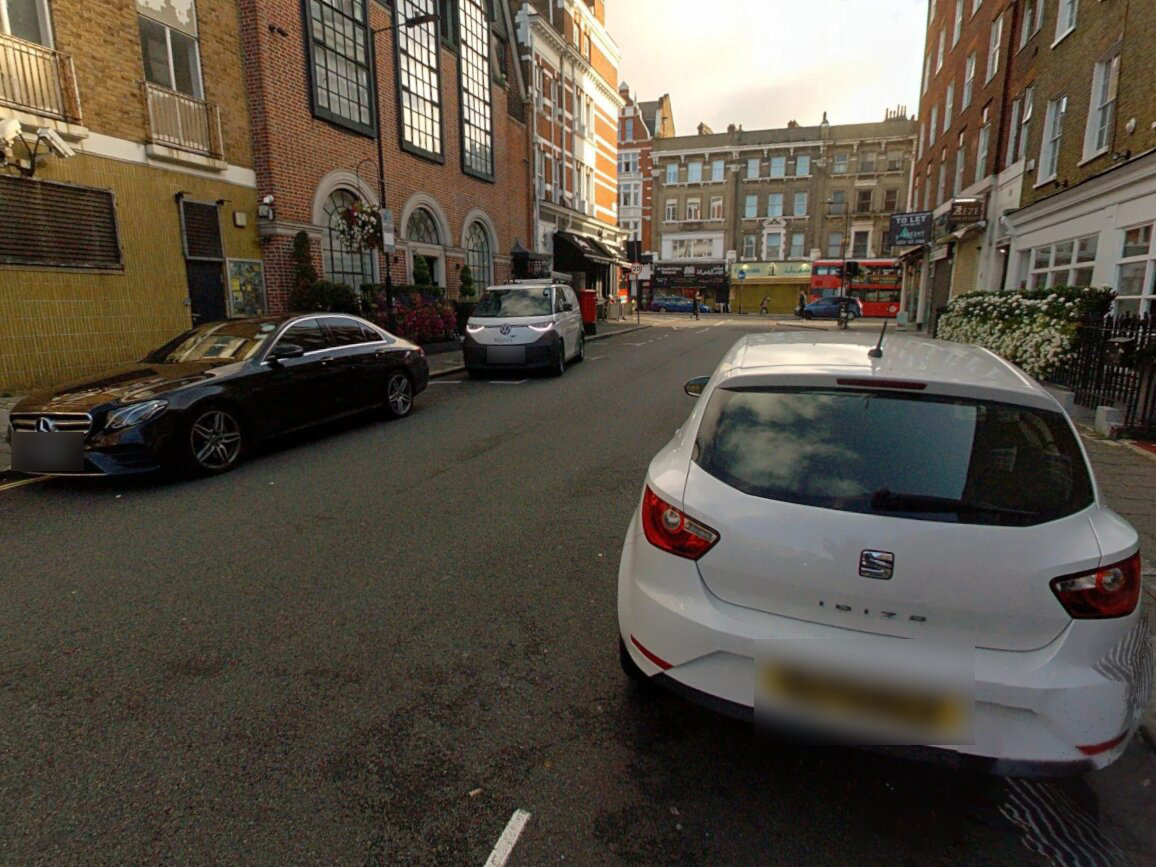
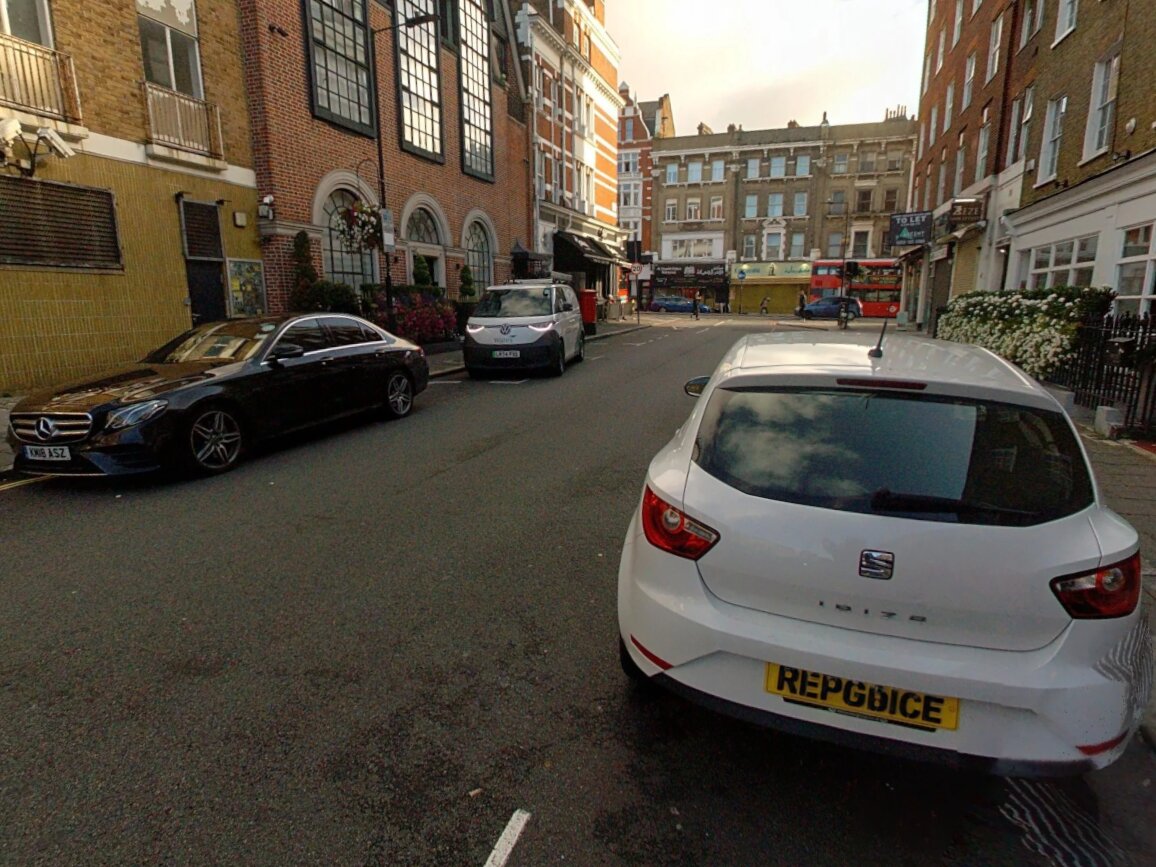 OriginalBlurred
When street-level imagery needs blurring
A council shares a highways or street-furniture survey with planning staff and contractors. A utility sends route panoramas to a design consultant. A mobile mapping provider delivers a run to a client who passes it on again. Each time, the images leave the team that captured them, and the faces and number plates in them go too.
Because blurring runs as part of processing, nobody has to remember a separate treatment step before the link goes out.
Inputs and outputs
- Input
- E57 with embedded imagery, or panoramas with their pose and calibration files
- Options
- Face blurring, licence-plate blurring, or both
- Output
- Blurred versions of each image, including compressed variants, at their captured positions
- Not changed
- Point cloud geometry and the original uploaded images
- Plan
- SkyGIS Pro
Questions
Why blur street-level imagery before sharing it?
Once panoramas leave the team that captured them, the people and vehicles in them go too. Blurring during processing means the shared version is already treated, so nobody has to remember a separate step before the link goes out.
Does automatic blurring make imagery GDPR compliant?
Not on its own. Detection can miss a face or a plate, so review the processed images and follow your own data-protection process before sharing. Blurring is one part of that process, not the whole of it.
Are the original, unblurred images kept?
Yes. Blurring creates new versions of the images for the project. Your original uploads and the point cloud are left as they were.
Which plan includes blurring?
SkyGIS Pro. Viewing panoramas and sharing them by link is part of SkyGIS Viewer.
Test blurring on one of your own runs
Bring a stretch of mobile mapping imagery to a 30-minute walkthrough and look through the blurred panoramas with us.