Crossfall & Superelevation Checks
Check the transverse slope of a finished road against its design, station by station and lane by lane. You define where each lane sits and how much difference is acceptable. SkyGIS fits a slope to the design and to the survey across each band and flags the stations that fall outside the tolerance.
- Compares
- Design vs measured crossfall per lane band
- Tolerance
- In percentage points
- Needs
- A station analysis with design and survey surfaces
Worked example
What a 0.3 percentage-point difference looks like
At chainage 1+240 the design gives the nearside lane a 2.0% crossfall. The slope fitted to the survey points across the same band comes out at 2.3%. The difference is 0.3 percentage points.
With a tolerance of 0.5 points that station passes. Through a superelevation transition, where the design slope changes quickly from one station to the next, the same check catches lanes that were laid flat or falling the wrong way.
- Design
- 2.0%
- Measured
- 2.3%
- Difference
- 0.3 percentage points
Why lane bands, not whole sections
A cross-section through a road includes the crown, kerbs, verges and sometimes a central reserve. Fitting one slope across all of that tells you very little. Instead you set left and right offset ranges from the alignment, one per lane, and the check fits a slope only to the elevation samples inside each band.
The design slope is derived the same way from the design surface, so both numbers describe exactly the same strip of road.
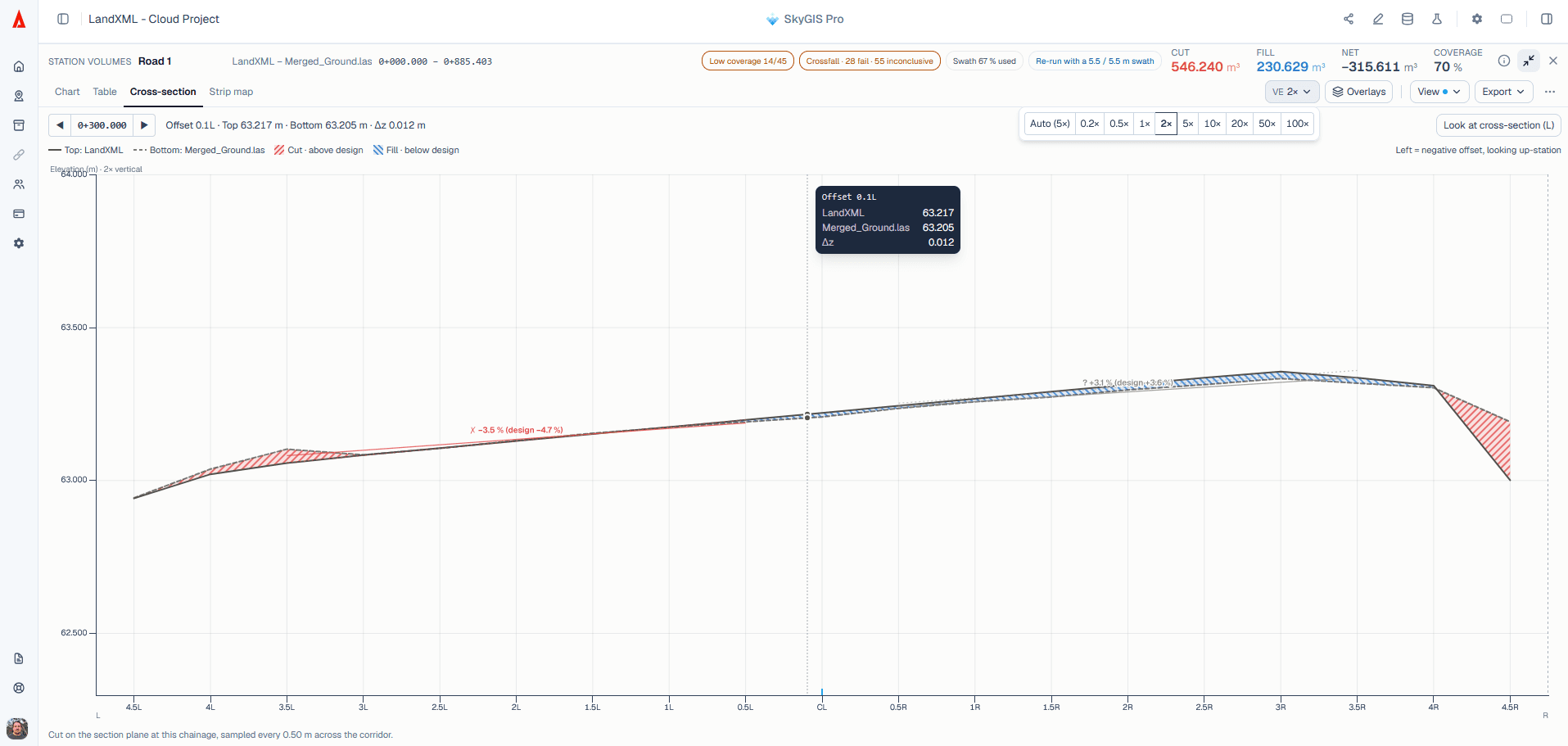
Setting up a crossfall check
Start from a station analysis
Crossfall runs inside a surface-difference or deviation analysis with an alignment. Make sure the design surface and the measured surface are in the right roles.
Define the lane bands
Enter left and right offset ranges for each lane you want to assess, measured from the alignment.
Set the tolerance
Give the permitted crossfall difference in percentage points.
Review station by station
Each station shows design slope, measured slope, the difference and a pass, fail or inconclusive result. Open the section to see the samples behind any result you want to question.
Where it fits in a road review
Use it for
- Checking finished or intermediate pavement layers against design crossfall
- Finding stations in superelevation transitions that need a closer look
- Backing up a QA discussion with the section geometry behind each result
It won't
- Read superelevation tables from LandXML
- Pass a station where survey coverage is too thin to fit a slope
- Replace a formal acceptance procedure for the road
Questions
Why check crossfall from a point cloud?
Every station and every lane gets checked, not a few spot levels. Lanes laid flat or falling the wrong way, especially through superelevation transitions, show up before the road is handed over.
What does a tolerance in percentage points mean?
It is the difference between two slope percentages. A 2.0% design and a 2.3% measured crossfall differ by 0.3 percentage points.
What does an inconclusive result mean?
The lane didn't have enough survey points at that station to fit a slope. It isn't counted as a pass, so check coverage there and rescan if needed.
Does a crossfall check replace formal acceptance?
No. It backs up your QA discussion with the section geometry behind each result. Acceptance still follows the contract's procedure.
See it on one of your own datasets
Pro is priced around your team and data volumes. The quickest way to judge it is a 30-minute walkthrough on a dataset you already have.