Face & Licence Plate Blurring
Mobile mapping runs and street-level panoramas pick up passers-by and parked cars. In SkyGIS Pro you turn on face blurring, licence-plate blurring or both in the processing dialog, and the images added to the project are the blurred versions. Nobody has to go through them in an image editor.
Before and after blurring
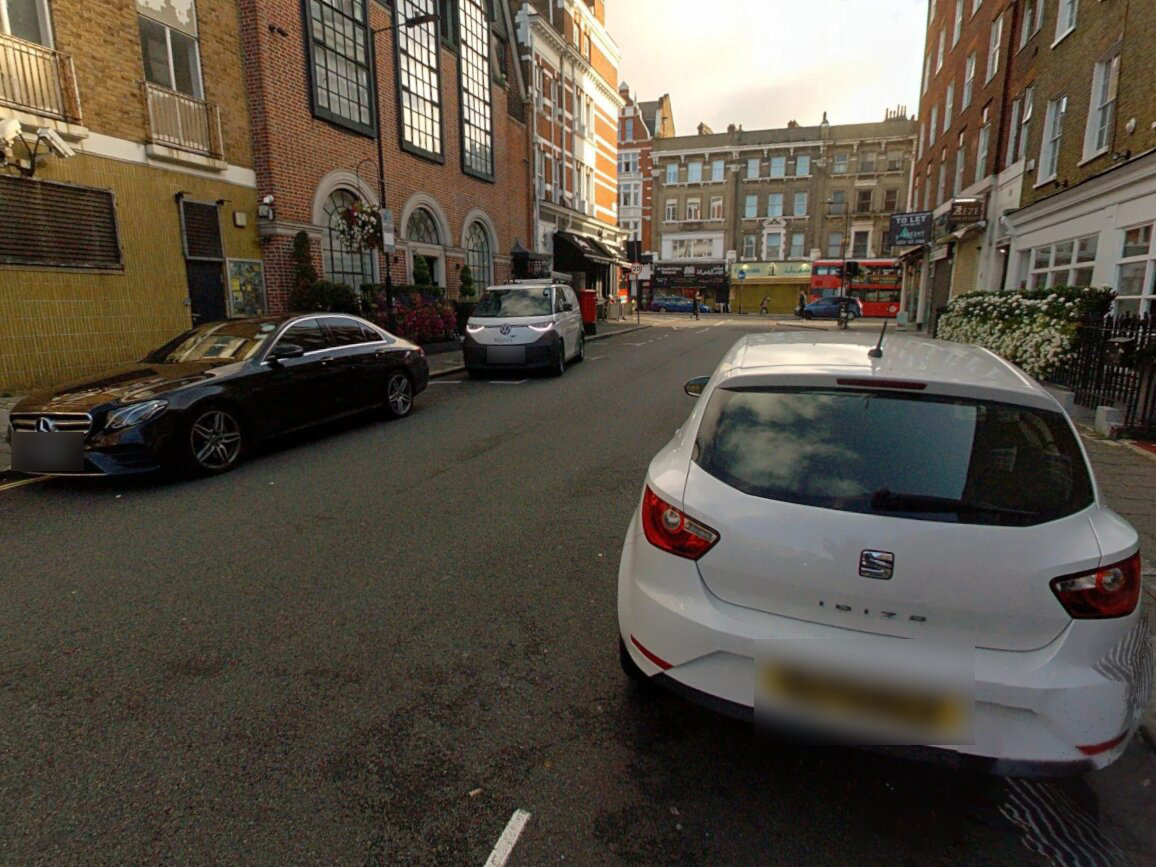
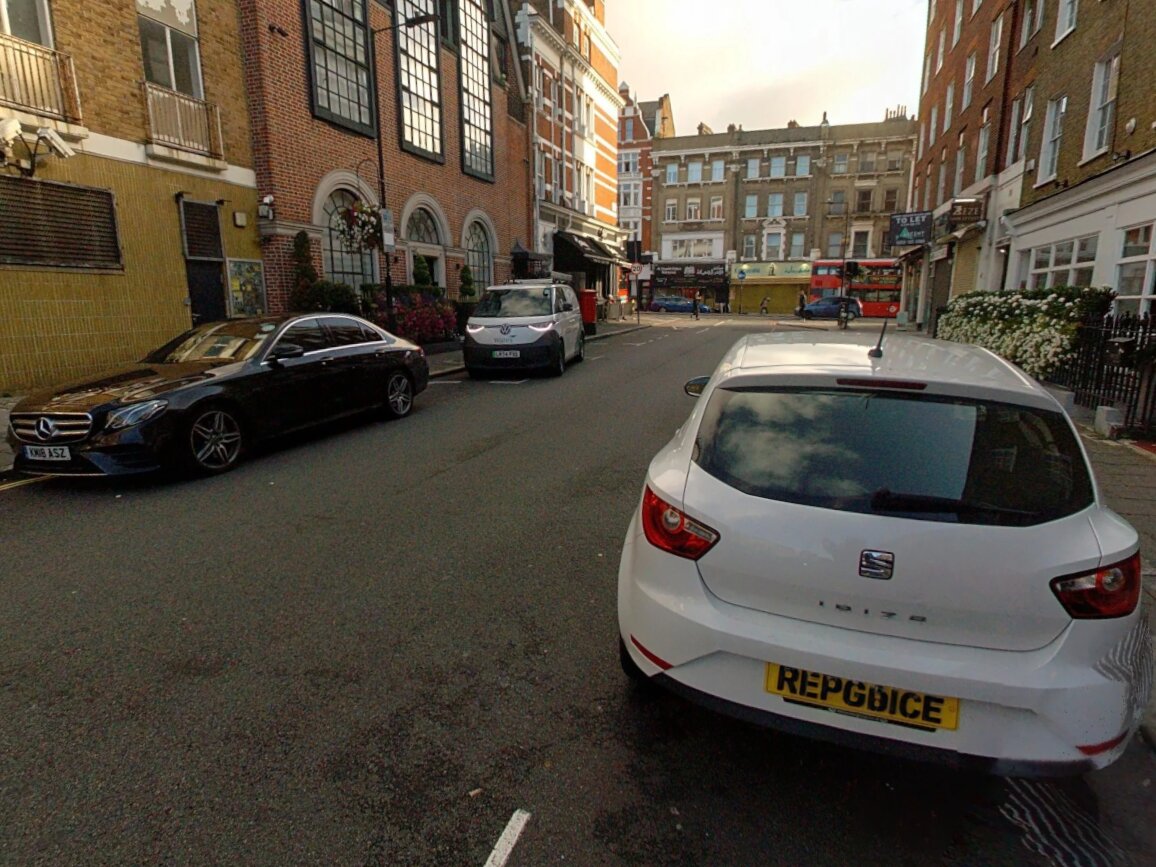 OriginalBlurred
Inputs, outputs and what stays the same
- Works on
- E57 and image imports, set in the processing dialog
- Detects
- Faces, licence plates, or both
- When
- During processing, before the images are added to the project
- Creates
- Blurred variants of the processed images, including compressed variants where the import produces them
- Original uploads
- Kept. Blurring doesn't remove them.
- Point cloud
- Geometry isn't changed or redacted
Blurring a street-level capture
Choose the options
In the processing dialog, turn on face blurring, licence-plate blurring or both before you start.
Let processing run
Detection runs as part of the import, and the blurred images are added to the project.
Review the hard scenes
Open images from crowded pavements, junctions and car parks. Look for distant plates and faces that are partly hidden.
Questions
Does blurring add work for my team?
Very little. Choose faces, licence plates or both in the processing dialog and the images added to the project are already blurred, so nobody goes through them in an image editor. Allow time to review the results before sharing.
Is every face and plate guaranteed to be blurred?
No. Detection can miss things or blur the wrong area, so review the processed images before sharing. On its own, blurring doesn't make a dataset anonymous or compliant with privacy rules.
Are the original images kept?
Yes. Blurring creates new versions of the images for the project and leaves your original uploads and the point cloud as they were.
Which plan includes face and licence plate blurring?
SkyGIS Pro, for E57 and image imports.
See it on one of your own datasets
Pro is priced around your team and data volumes. The quickest way to judge it is a 30-minute walkthrough on a dataset you already have.