Plan renovations from a point cloud and IFC
A renovation starts from the building as it stands, which is rarely the building on the old drawings. Put the existing-condition scan and the IFC model in one SkyGIS project, clip into the floor you are changing and measure what the design depends on. The architect, engineer and client look at the same room in a browser, with nothing to install.
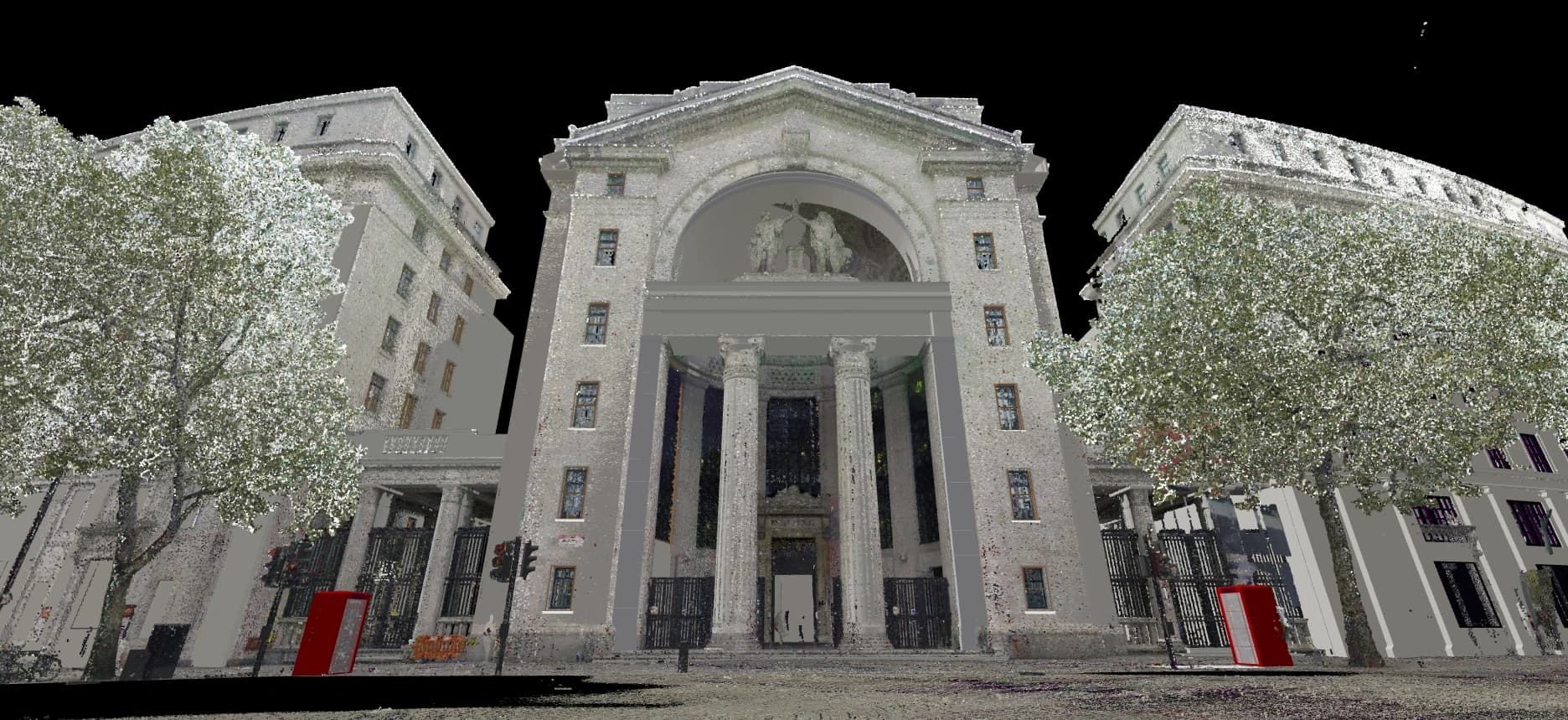
What the scan and the IFC model each tell you
The IFC carries the design: element types, properties and the quantity sets the designer exported. You can browse the model tree, select a wall or a beam and read its properties. The scan carries what is actually there, including the beam that sits lower than drawn and the wall that isn't square.
Overlay the two and lower the model's opacity, and the scan shows through wherever they disagree. Check placement first at a few features both share, such as window openings or a stair core.
A scan only records surfaces the scanner could see. Services inside walls, structure above a suspended ceiling and rooms nobody scanned aren't in it, and they remain open questions for opening-up works or further survey.
Clip box modes for building scans
Move, rotate and resize the box around a room, a floor or a single wall. It clips the point cloud and the IFC model together.
Inside only
Shows only what's inside the box. Isolate one room or one storey and look down on it like a plan.
Outside only
Hides what's inside the box. Cut away a ceiling or a facade to see into a space while the rest of the building stays visible.
Highlight
Keeps the whole scene visible and highlights what falls inside the box. Useful for pointing at one area during a design review.
Example
Removing a wall between two rooms
An architect is asked to combine two first-floor rooms in an older building. The surveyor's E57 and the architect's IFC of the proposed layout go into one project, and the team checks the overlay at the window openings and the stair core.
With an inside-only clip box around the first floor, they measure floor-to-ceiling heights on both sides of the wall and find a step in floor level that the old drawings don't show. The scan also shows a downstand beam that isn't in the model. The team saves a view at each of those spots, and the structural engineer gets a share link to look at the beam.
- Inputs
- E57 scan, IFC of the proposed layout
- Tools
- Clip box, measurements, saved views
- Shared with
- Structural engineer, by link
Renovation planning in Viewer, deviation analysis in Pro
Everything above is in Viewer. When the question becomes how far the building is from the model across every surface, that is a Pro analysis.
Viewer
- Scan and IFC in one project, with model tree and properties
- Clip box in three modes
- Distances with horizontal and vertical components, and areas
- Saved views and password-protected share links
- Recipients can drop their own IFC, DWG or LandXML over the scan
Pro adds
- Scan-to-IFC deviation in nearest or horizontal mode
- Plane deviation for out-of-plumb walls and floor flatness
- Elevation profiles and CAD cross-sections
- Clipped LAZ or E57 export of one room or floor
- PDF reports of deviation results
Questions
How does a scan help plan a renovation?
Older buildings rarely match their drawings. Overlaying the existing-condition scan on the design model shows where they disagree, such as a lower beam or a step in floor level, while the design can still change, not after work has started on site.
Does everyone on the design team need BIM software?
No. The scan and the IFC model open together in a browser. Architects, engineers and clients can look at the same room, measure it and share saved views without Revit, ArchiCAD or anything to install.
Which plan covers renovation planning?
Overlaying, clipping, measuring and sharing are part of SkyGIS Viewer, and you can start on the free plan. Measured deviation between scan and model, plumb and flatness checks and PDF reports are SkyGIS Pro.
Can I edit the IFC model in SkyGIS?
No. SkyGIS is for reviewing the model against the building. Design changes stay in your BIM authoring software.
Put your scan and model in one project
The free plan includes one user and 5 GB with no credit card. Upload an E57 and an IFC, clip into a floor and measure a few dimensions you already know.