Attribute Tables & Asset Records
Every vector layer in a SkyGIS project has a table of its features and their properties. Search it, filter and sort the columns, and select a row to find that feature in the map and the 3D view. Attach a photo or a document to a feature and export the records you picked. Viewer lets you edit attributes and create or move points of interest; Pro adds drawing and editing other vector geometry.
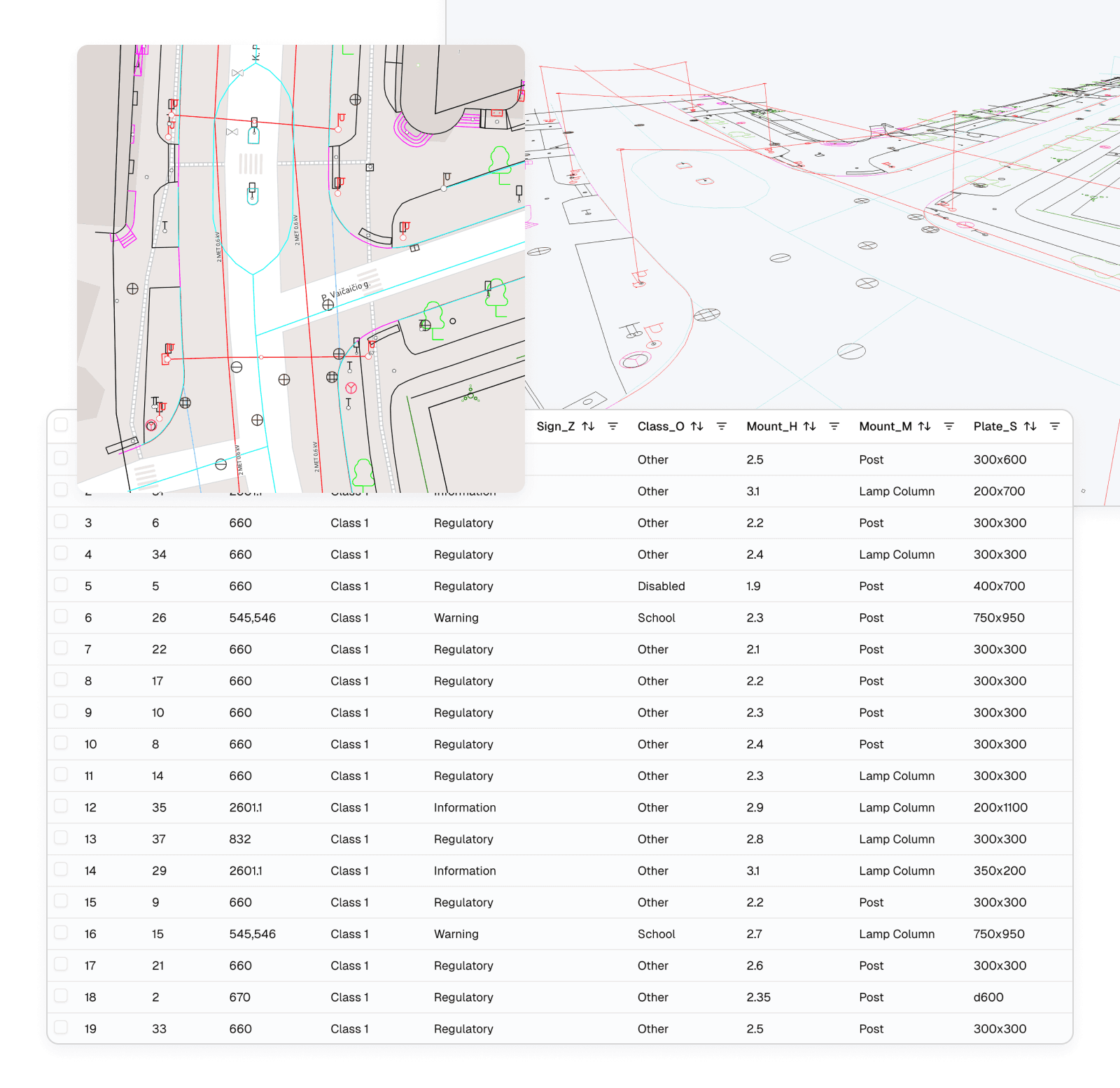
- Layers from
- DWG, DXF, SHP, GPKG, GeoJSON, KML/KMZ
- Viewer
- Search, filter, attach, export, edit attributes
- Pro
- Create and edit vector geometry
What you can do in the attribute table
All of this is part of every Viewer plan.
- Search across a layer's records
- Filter and sort by column
- Select a row to highlight the feature in the map and 3D view
- Attach photos and documents to a feature
- List points of interest and open one with a click
- Export a layer or the selected features
- Lay the table out beside the map and 3D view
- Edit point-of-interest locations and attributes of vector features
Attribute tables in Viewer and Pro
Viewer
- View, search, filter and sort records
- Select rows and locate features
- Attach files to features
- Create and move points of interest
- Edit individual attribute values
- Export to DWG, DXF, SHP or GPKG
Pro adds
- Edit attribute values on many features at once
- Create and edit other vector geometry
- Draw new features and fill in their properties
Example
Keeping inspection photos with the right sign
A highways team holds every sign on a route in one GeoPackage, with class, mount height and plate size as columns. An inspector comes back with photos of three damaged plates and their sign IDs.
In the attribute table they filter to the sign class, find each ID and attach the photo to that sign. The map and 3D view highlight the feature, so they can confirm it is the right post against the scan. The photo now lives on the sign, not in a folder named after the inspection date.
- Layer
- GeoPackage of road signs
- Product
- SkyGIS Viewer
Questions
Can we keep inspection photos with the asset they belong to?
Yes. In SkyGIS Viewer you can attach photos, documents and other files to a feature. They stay with that feature in the project, not in a folder named after the inspection date.
Can people without GIS software look up asset records?
Yes. Every vector layer has a table you can search, filter and sort in the browser, and selecting a record highlights the feature in the scene.
Can I edit attributes in bulk?
Yes, in SkyGIS Pro. Select the features and update a field across all of them. You need an editable layer and a project role that allows editing. Editing a single attribute value is available in SkyGIS Viewer too.
Can SkyGIS track defects or maintenance tasks?
No. Records hold properties and attachments, not assignees, due dates or statuses. Keep defect tracking in your issue system and reference the feature ID there.
Open a vector layer and its records
Upload a Shapefile, GeoPackage or DWG on the free plan and see the attribute table next to the map.