CAD & GIS Viewer
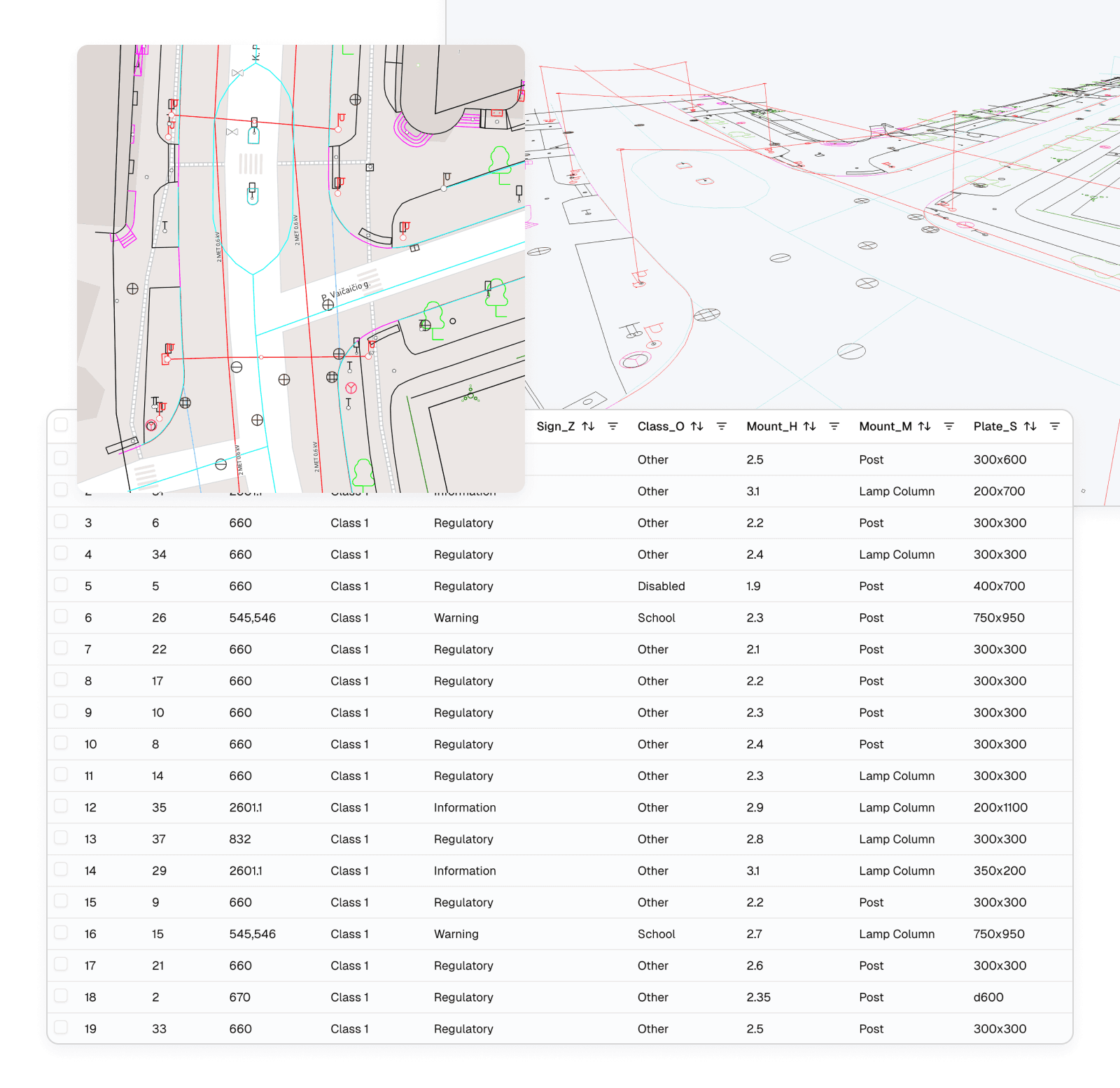
The DWG from the design office and the Shapefile from the asset register can sit in the same project as the scan. Each file becomes a layer you can switch on, style and click, and selecting a feature in the 3D view brings up its row in the attribute table.
CAD and GIS formats
Upload a file, give it its coordinate system, and it becomes a project layer next to your scans, models and imagery.
- DWG and DXF
- Drawing geometry, with the text and styling stored in the file.
- Shapefile
- Upload the .shp together with its companion files.
- GeoPackage
- Vector features with their attributes.
- GeoJSON, KML and KMZ
- Lighter exchange formats, including files saved from Google Earth.
- Export
- Export the whole layer or selected features as DWG, DXF, Shapefile or GeoPackage, in the project CRS.
From a feature to its attributes and back
Click a line, point or polygon in the 3D view and the attribute table jumps to its record. It works the other way too: search, filter or sort the table, select a row, and the feature is highlighted in the scene.
You can attach photos or documents to a feature and export the table. Viewer also lets permitted editors update attributes and points of interest; Pro adds drawing and editing other vector geometry.
Design drawing against the as-built scan
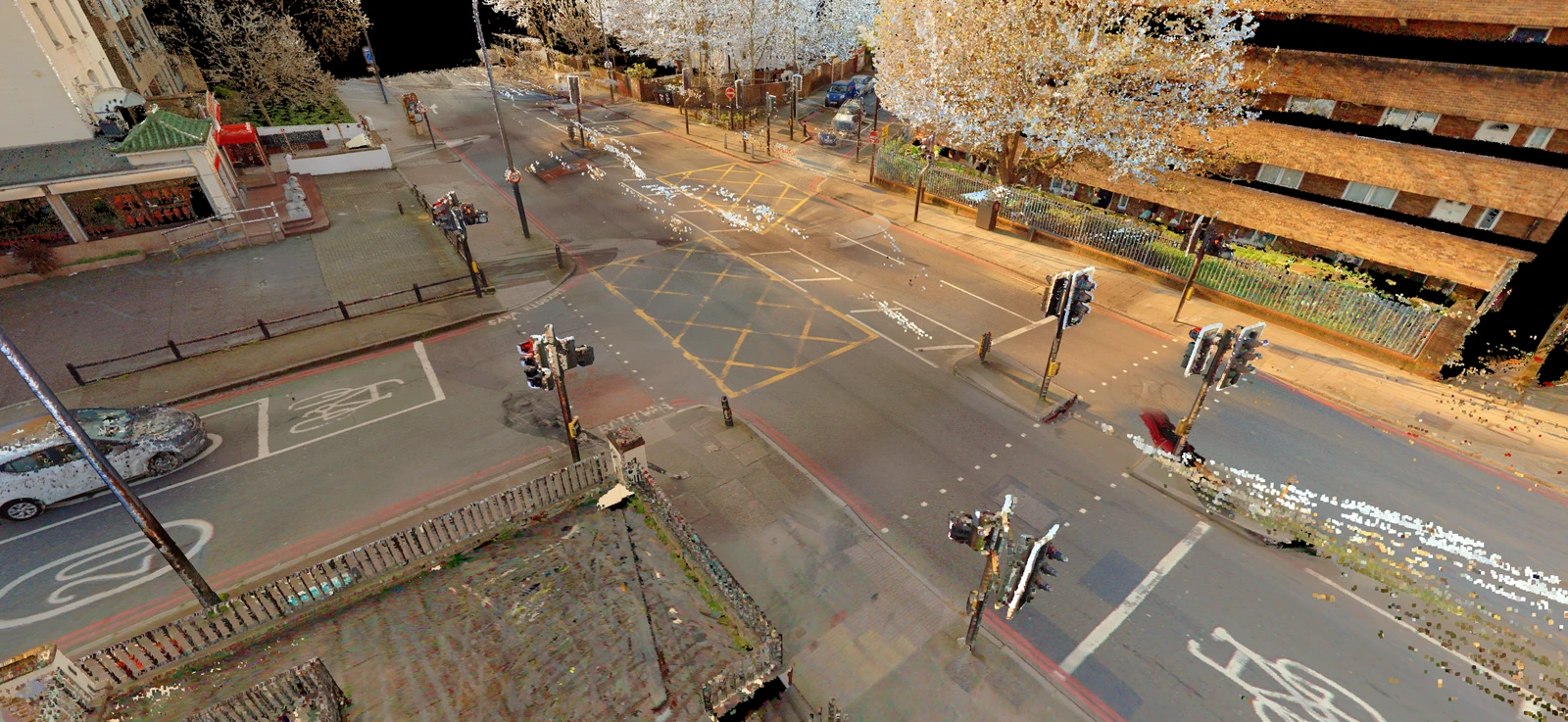
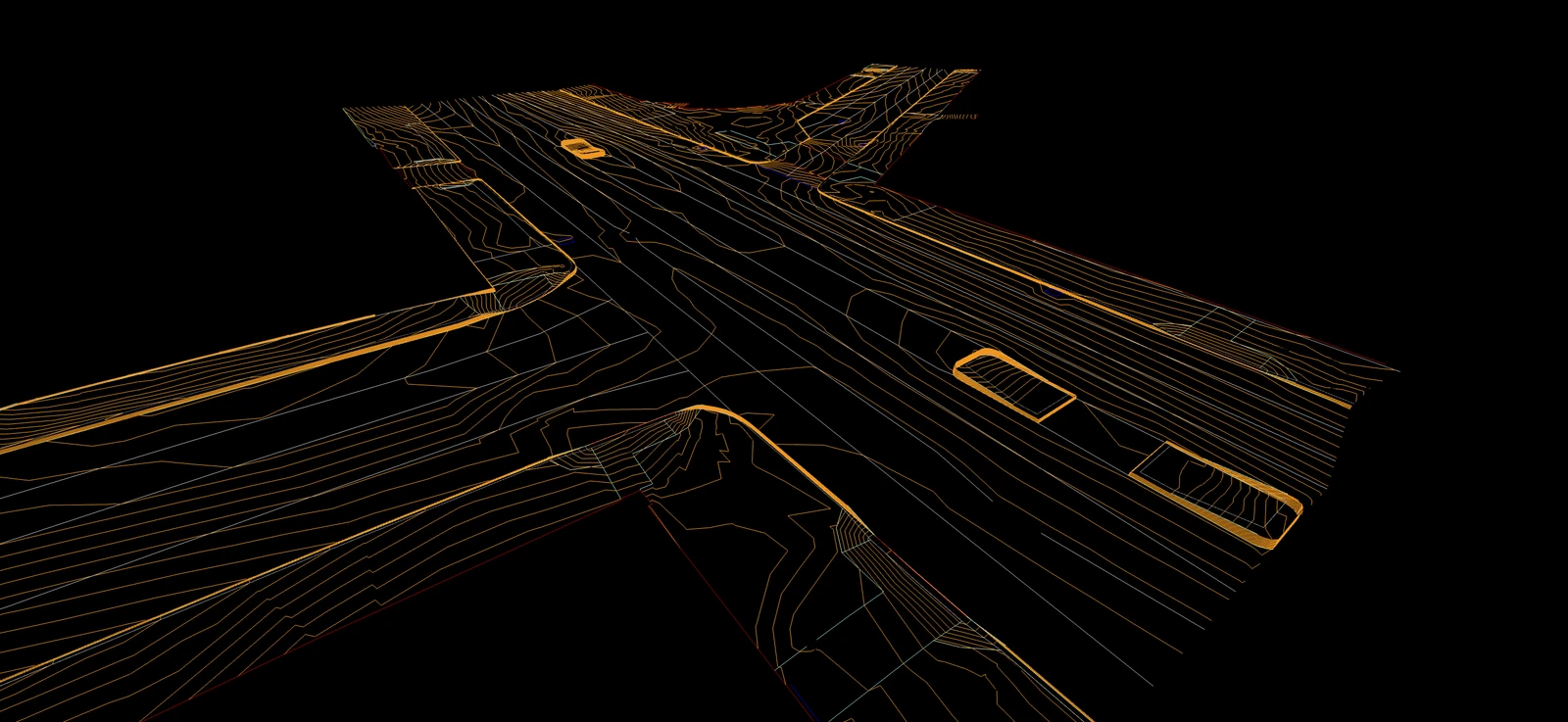 CAD designAs-built scan
Example
Checking a utility record against the street
An asset team's GIS layer puts a valve chamber on the kerb line. They load the layer as a GeoPackage next to a street scan of the same road, click the chamber and read its record in the table.
In the scan, the cover sits further along the footway. They measure the offset, mark the spot as a point of interest and send the client a project link, so the client can see the marked location and compare the record with the scan.
- Layers
- GeoPackage asset layer and a street scan
- Handed on
- A shared project link with the marked location
Questions
Can people without AutoCAD or GIS software open our drawings?
Yes. DWG, DXF, Shapefile, GeoPackage, GeoJSON and KML files open in a browser, over the scans and orthophotos of the same site, with nothing to install.
Can I check a drawing or asset record against the site?
Yes. Load it with a scan of the same area and look for where they disagree. Mark the spot as a point of interest and share the project link, so the person responsible sees exactly what you found.
Will my drawings look exactly as they do in CAD?
The geometry comes across, but how much of the text and styling survives depends on how the drawing was made. Upload one typical drawing and check a few labels before a large delivery.
Can I edit CAD or GIS features in SkyGIS?
Viewer lets permitted editors update attributes and points of interest. Pro adds drawing and editing other vector geometry. Editing requires a suitable project role and layer.
Put your drawing over the scan
Upload a DWG or Shapefile and a point cloud to a free project and see how they line up. No credit card, 5 GB of storage.