DWG, DXF, SHP & GeoPackage Export
Export a whole vector layer, or only the features you've selected, as DWG, DXF, Shapefile or GeoPackage. The output can use the project's coordinate system or WGS84. SkyGIS builds the file as a background job while you carry on in the project, and you download it when it's ready.
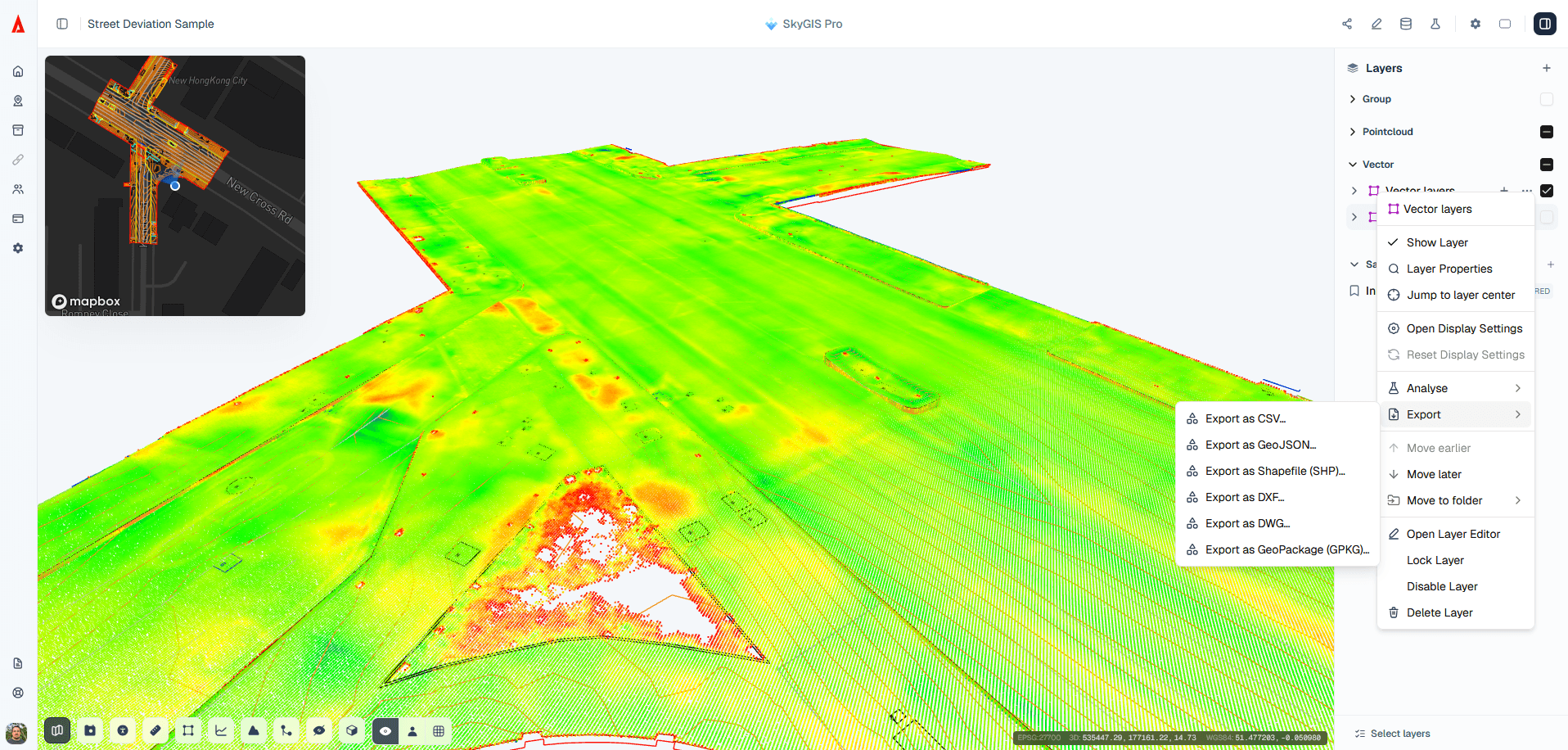
- Formats
- DWG, DXF, SHP, GPKG
- Scope
- Whole layer or selected features
- Coordinates
- Project CRS or WGS84
DWG, DXF, Shapefile or GeoPackage?
Choose the format for whoever opens the file next. If you don't know what they run, ask before you export.
- CAD
DWG
AutoCAD's native drawing format. The obvious choice when the recipient works in AutoCAD, Civil 3D or another Autodesk product.
- CAD
DXF
Autodesk's open exchange format. Almost every CAD package reads it, and so do GIS tools such as QGIS, which makes it the safe pick for an unknown recipient.
- GIS
Shapefile (SHP)
The long-standing GIS exchange format, read by ArcGIS, QGIS and most other GIS software. It holds one geometry type per file and comes as a set of files that have to stay together.
- GIS
GeoPackage (GPKG)
An open OGC format in a single file and the default in QGIS. Use it for GIS recipients when a layer mixes points, lines and polygons and Shapefile is off the table.
Project coordinates or WGS84
The export dialog offers two coordinate options: the project's coordinate system or WGS84.
For CAD, use the project system. Drawings expect grid coordinates, and a DWG written in latitude and longitude opens at the wrong scale, a long way from everything else in the drawing.
WGS84 suits web maps and GIS tools that expect latitude and longitude, or a recipient on a different national grid who will reproject the data anyway.
How to export a layer to DWG, DXF, SHP or GPKG
Select, if you need to
To send part of a layer, select those features first. Otherwise the export covers the whole layer.
Set the format and name
Open the layer's export menu, pick DWG, DXF, SHP or GPKG, choose Project or WGS84 coordinates and type a filename.
Download the file
The export runs in the background with its progress shown. When it completes, download the file and open it in the receiving software.
Questions
Can I deliver data in the format my client's CAD or GIS team uses?
Yes. Export a whole vector layer, or only the features you selected, as DWG, DXF, Shapefile or GeoPackage. The file builds in the background while you carry on, and you download it when it's ready.
Which plan includes vector export?
Export is part of SkyGIS Viewer. Features drawn or edited in Pro export the same way.
Why can't I export my layer as a Shapefile?
A Shapefile holds one geometry type, so a layer that mixes points and lines can't use it. Export it as GeoPackage, DXF or DWG, or select features of one geometry type and export those as SHP.
Can I export point clouds or BIM models this way?
No, this export is for vector features. Part of a point cloud exports as LAZ or E57 from a clip box, and IFC surfaces export as LandXML. Both are Pro.
Try it with your own data
The free plan includes one user and 5 GB of storage, with no credit card required. Upload a file and open it in your browser.