Clearance & Encroachment Analysis
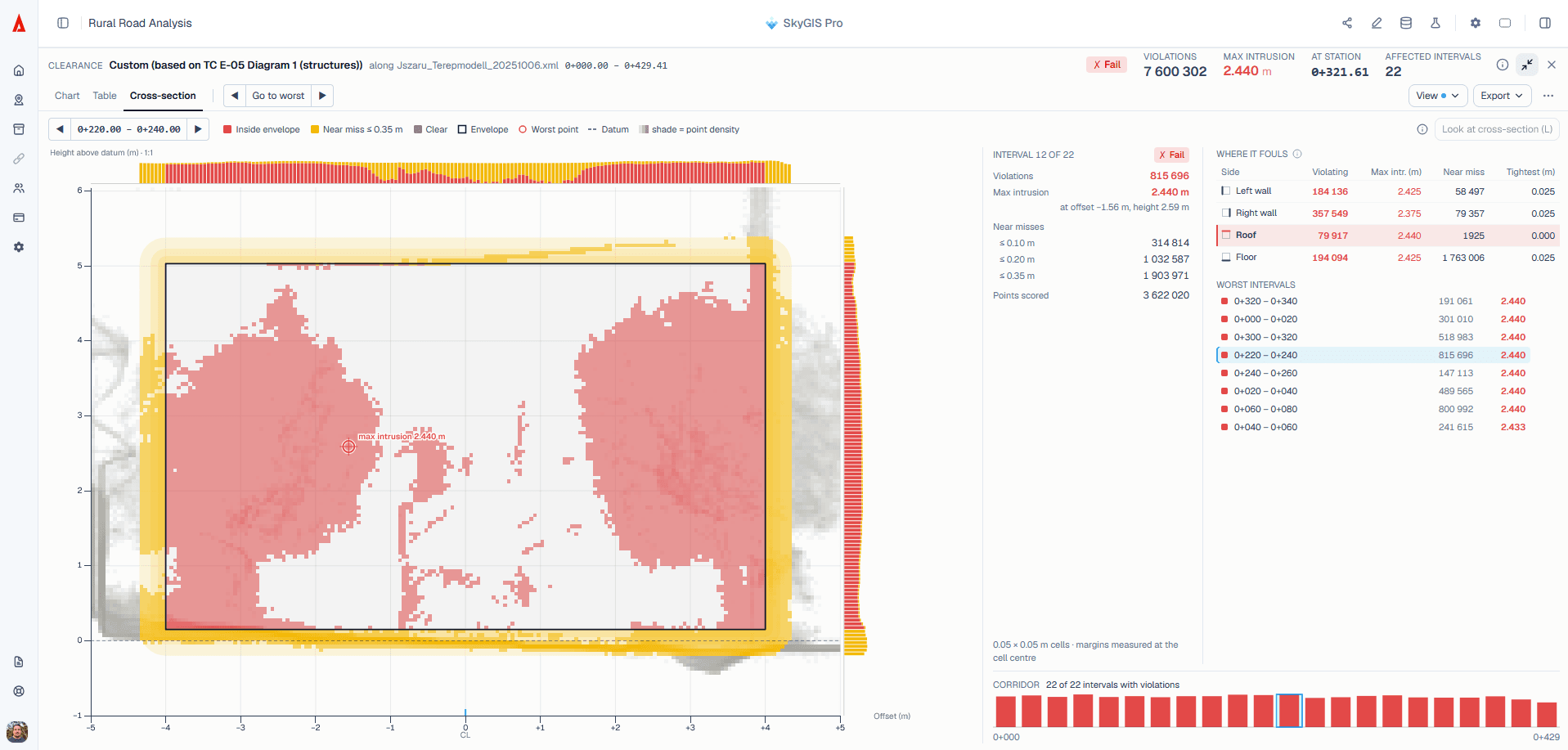
Pick a clearance profile, place it on the alignment and sweep it along the route. Captured points inside the envelope are highlighted and grouped by station, so you can go from a chart straight to the section where something is in the way. You see the envelope in the scene before you run anything, so there's no doubt about what was tested, and you can download the classified point cloud afterwards.
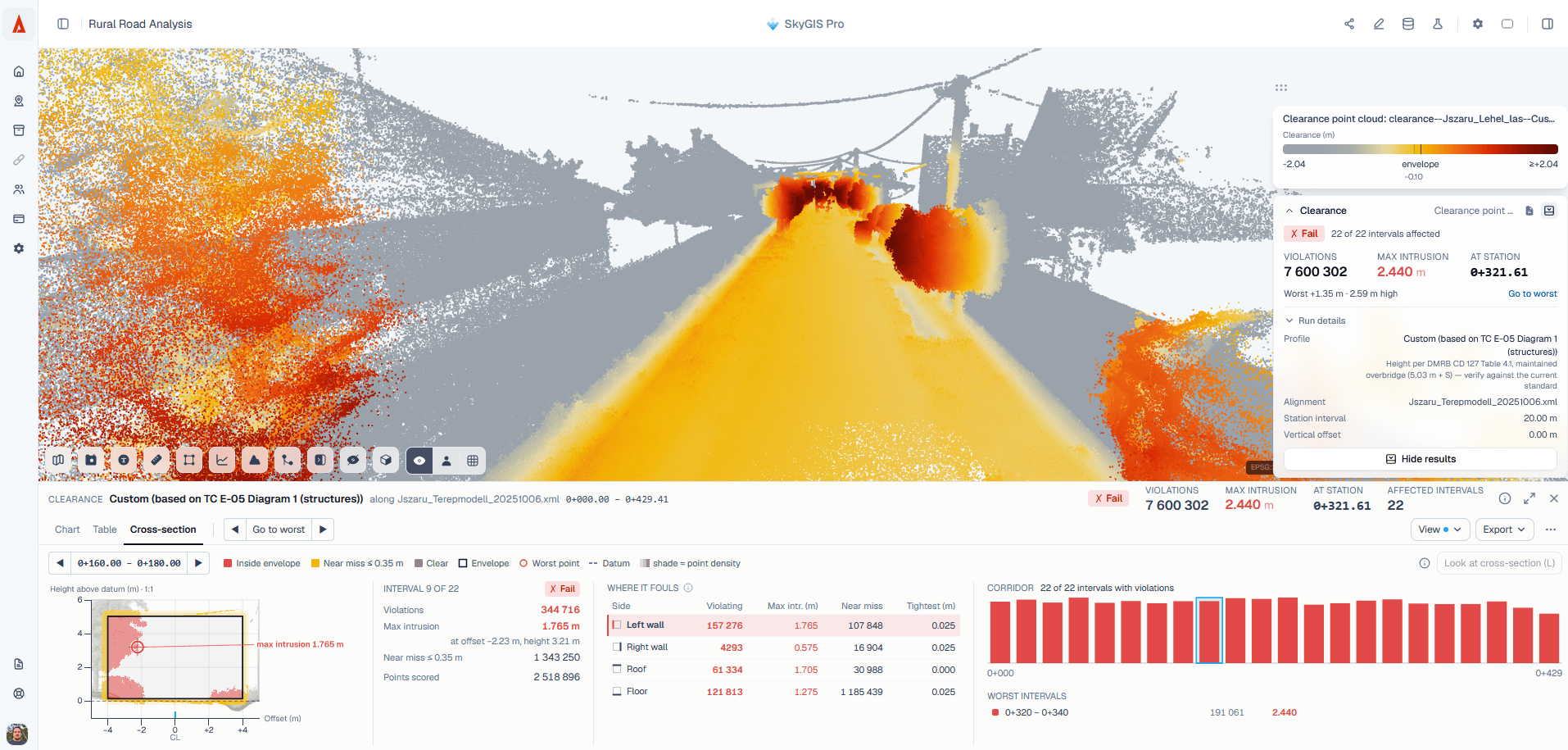
Inputs and settings for a clearance check
The run uses one source point cloud and an alignment that carries elevation, so the profile sits at the right height along the route.
- Point cloud
- One source cloud covering the corridor
- Alignment
- The project alignment, with elevation information
- Clearance profile
- Choose a profile or edit its shape
- Placement
- Relative to the alignment, including a vertical offset
- Station range
- Start and end of the sweep along the route
- Interval
- Spacing of the station bins
- Results
- Chart and table of affected station bins, a section view with the points inside the envelope highlighted, and a downloadable classified point cloud.
Running a clearance check along an alignment
Check the alignment and the cloud
The alignment needs to be in the right place and carry levels, and the scan needs to line up with it.
Set up the envelope
Choose or edit the profile, then set the vertical offset, station range and interval.
Preview it in the scene
Look at the envelope in the point cloud before running. If the profile sits at the wrong height or offset, this is where you will see it.
Run and investigate
The chart and table show which station bins have points inside the envelope. Open the section at any of them to see those points against the profile.
Reading the station results
The chart shows where along the route points enter the envelope, and the table lists the same bins. From either one you can open the section at an affected station and see the highlighted points with the profile drawn around them.
That is usually where the real question gets answered. Is it a signal, a cable, vegetation or a stray point from a passing vehicle? The analysis tells you where to look. The engineer decides what it is.
Questions
What does a clearance check give my team?
A list of stations where scanned points fall inside the envelope, with a chart, a table and the section at each one. Engineers go straight to the locations that matter instead of reviewing the whole route.
Does an empty envelope prove the route is clear?
No. Only captured points are tested. Gaps, occlusion or incomplete capture can't show that unsurveyed space is free of obstructions.
Who decides which clearance profile to use?
Your team. You choose or edit the profile and its placement, and the responsible engineer decides which requirements apply. SkyGIS sweeps what it is given.
Does clearance analysis replace a formal route assessment?
No. It's a geometric check on captured points. It doesn't simulate vehicle movement, choose a standard or certify a route as safe.
See it on one of your own datasets
Pro is priced around your team and data volumes. The quickest way to judge it is a 30-minute walkthrough on a dataset you already have.