Orthophoto & GeoTIFF Viewer
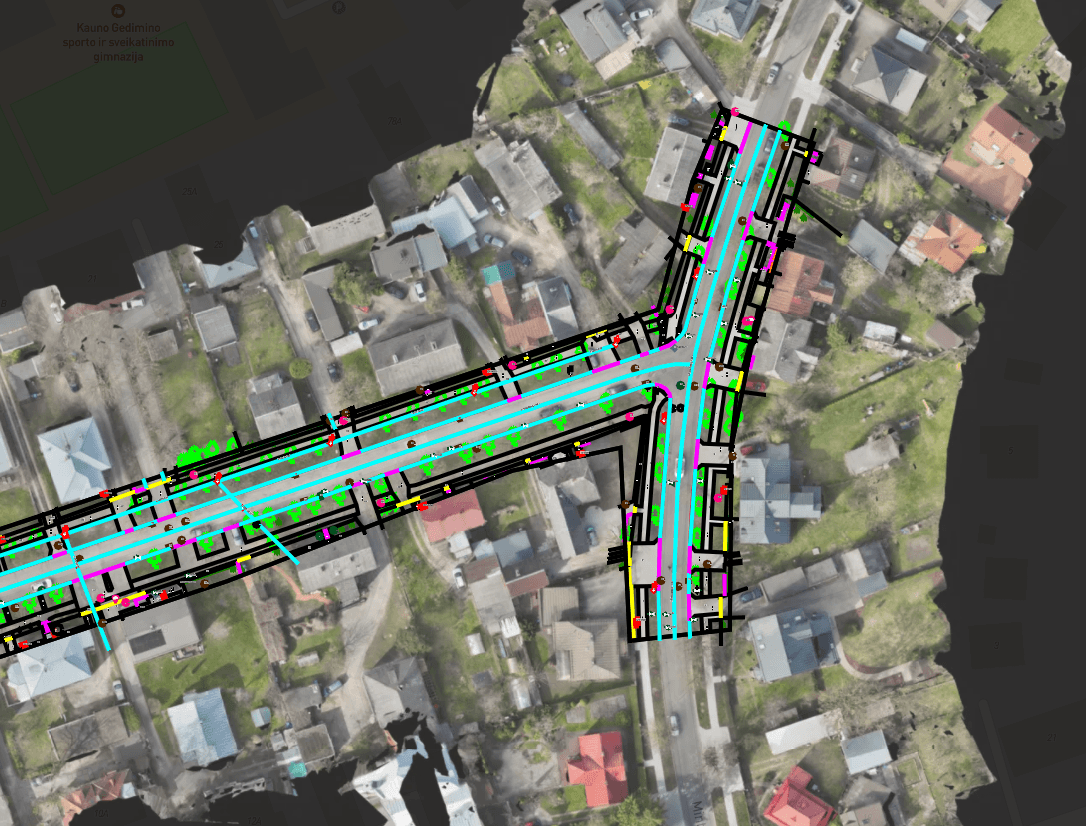
An orthophoto is the one survey deliverable everyone on a project can read. Upload the GeoTIFF or JPEG 2000, set its coordinate system, and it becomes the base of the project map, under your drawings, asset layers and point clouds.
- Formats
- GeoTIFF, JPEG 2000, TIFF or JPEG with a world file
- Needs
- Georeferencing and the source CRS
Orthophoto formats and what each needs
SkyGIS has to know where the image sits. Some formats carry that inside the file; others need a world file beside them.
GeoTIFF
Georeferencing is stored in the file. Upload it and choose its source coordinate system.
JPEG 2000
Common for large, compressed mosaics. Upload the georeferenced file and choose its source coordinate system.
TIFF with world file
A plain TIFF plus its .tfw world file. Upload the two together.
JPEG with world file
A JPEG orthophoto plus its matching .jgw file. Without the world file, a JPEG is just a photo.
From raster file to project map
Upload the image
Include the world file if the format needs one, with the same base name as the image.
Set the source coordinate system
Choose the EPSG code the orthophoto was produced in. Processing then turns the raster into map tiles.
Check how it lines up
SkyGIS places the orthophoto from its georeferencing and the coordinate system you set, and doesn't shift or reshape it to fit other layers. Compare road markings, kerbs or building corners with your CAD or scan to see how well they line up.
Build the map
Adjust the layer's visibility and appearance, then switch on the drawings and asset layers you want on top.
Example
A drone survey the project manager can follow
A surveyor flies a construction site and delivers a point cloud and an orthophoto. The project manager opens the project on the orthophoto, where site entrances, stockpiles and work areas are easy to pick out, with the design boundary from a DWG drawn over it.
When a question needs levels, they move to the point cloud for that area. Next month's flight goes into a new folder in the same project, named by capture date, so the two surveys sit side by side.
Questions
Why build a project around an orthophoto?
It's the one survey deliverable everyone on a project can read. Entrances, work areas and stockpiles are easy to pick out, with drawings and asset layers on top, so project managers and clients can follow the site without reading a point cloud.
Can I share the site map with people outside the team?
Yes. The orthophoto, drawings and point clouds go out together in one share link that opens in a browser without an account.
Can I track a site from one flight to the next?
Yes. Put each flight in its own folder, named by capture date, in the same project, and switch between them to see progress.
Can SkyGIS create an orthophoto from a point cloud?
Yes, in SkyGIS Pro, which generates ortho and raster maps from processed point clouds. That helps when a scan arrives without matching imagery. Viewer displays the orthophotos you upload.
Try it with your own data
The free plan includes one user and 5 GB of storage, with no credit card required. Upload a file and open it in your browser.