Check as-built walls and slabs against BIM
Check what was built against what was designed across whole surfaces, not a handful of total-station points. SkyGIS Pro compares an aligned point cloud with the IFC model, or with a reference plane for wall plumb and floor flatness, colours the scan by deviation and turns the result into a PDF report.
- References
- IFC model, reference plane or another scan
- IFC modes
- Nearest and horizontal
- Outputs
- Deviation map, statistics, PDF report
Design model and as-built scan from the same viewpoint
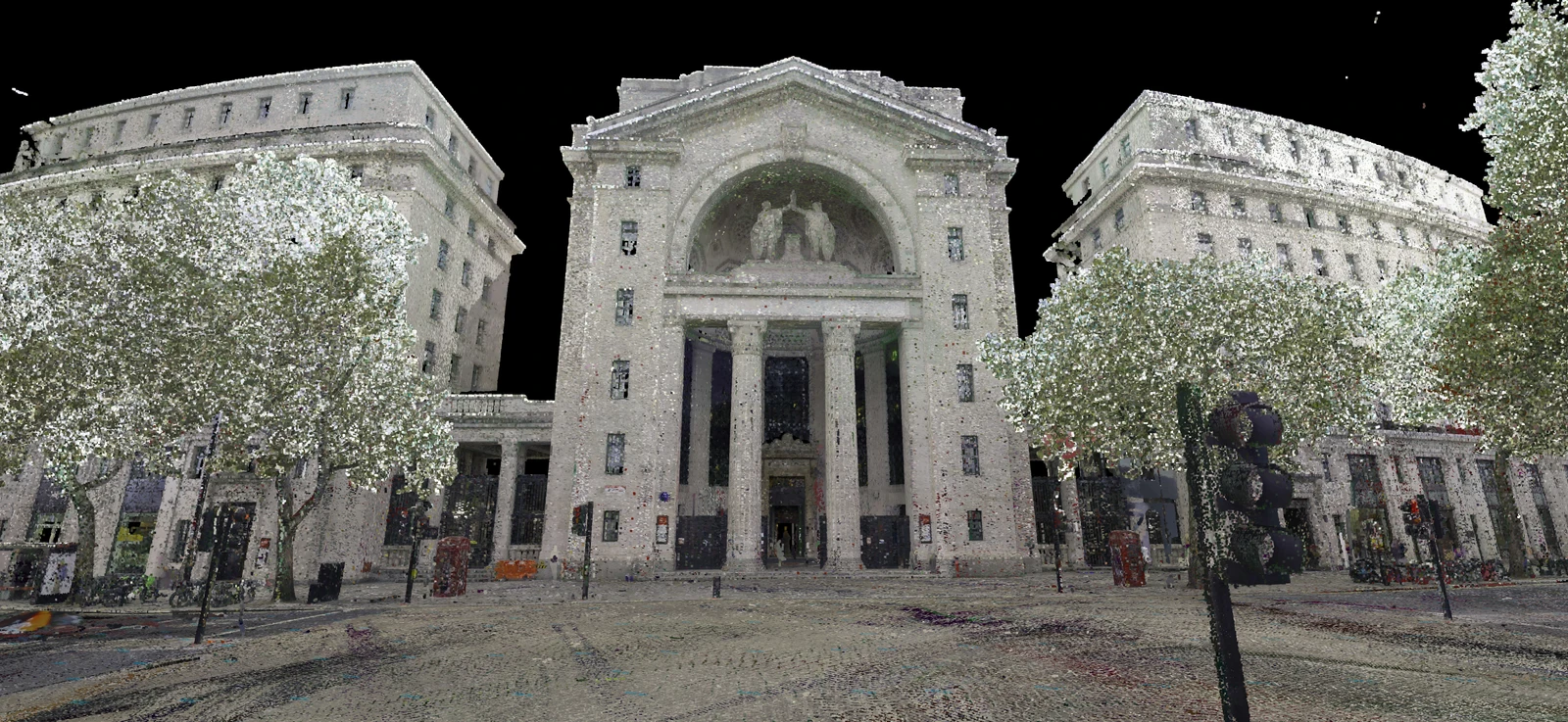
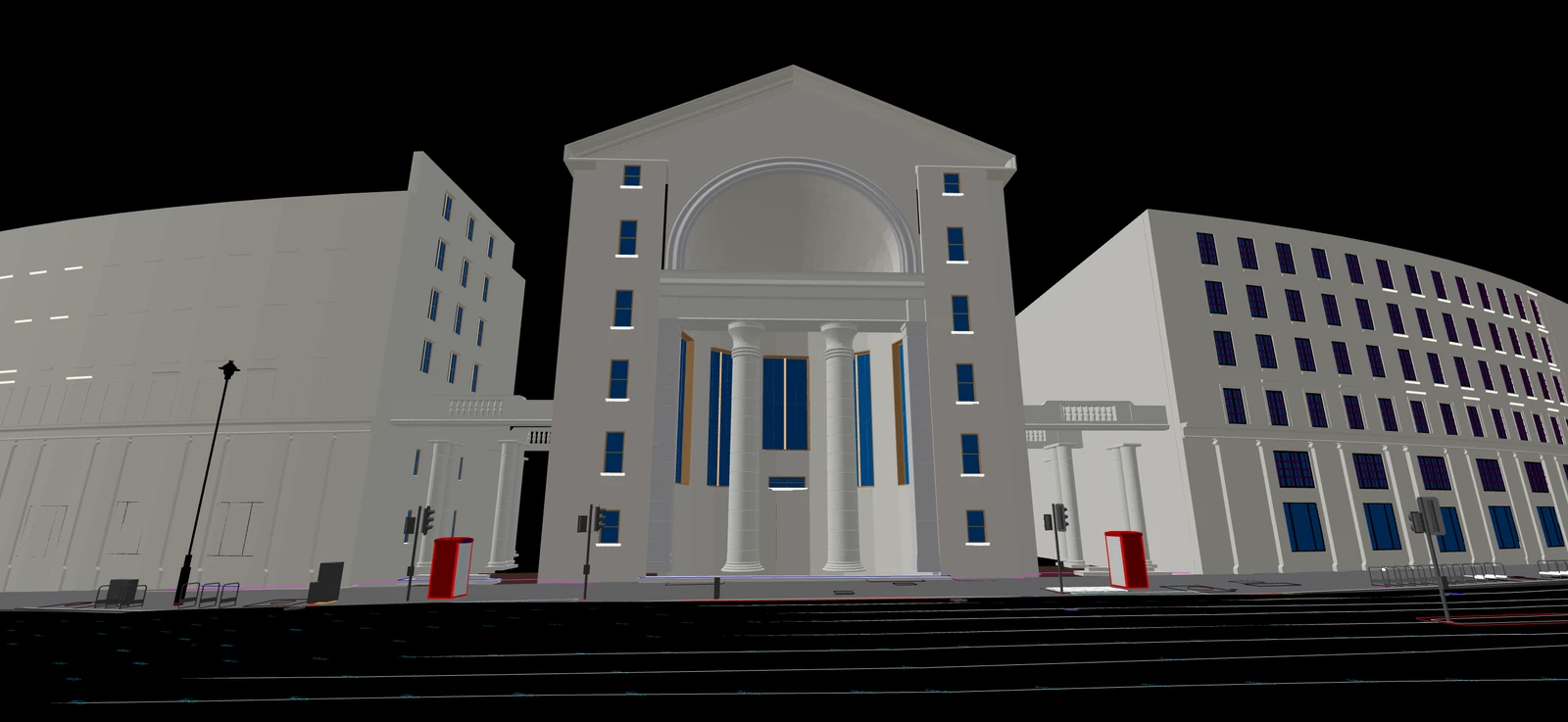 IFC designAs-built scan
Choosing the reference: IFC model, plane or scan
The reference decides which distance modes you can use and what the colours mean.
- Nearest or horizontal
IFC model
Compare the scan with the model elements you select. Nearest uses the closest distance to the model; horizontal measures in plan, which suits walls, columns and facades. Vertical and normal modes don't apply to IFC.
- Plumb and flatness
Reference plane
A plane you define. Use a vertical plane to find out-of-plumb walls and a horizontal one to map how flat a slab or floor is. No model needed.
- Vertical
Another scan
Compare two aligned surveys of the same area, such as before and after a phase of work. Differences are measured vertically against a gridded version of the reference scan.
Running a scan-to-BIM deviation check
Check the alignment
Scan and model have to sit in the same coordinate system before you start. SkyGIS doesn't register the scan to the model, and any offset between them shows up as deviation across the whole result.
Select the scan and the reference
Pick the measured point cloud, then the IFC elements, the plane or the reference scan. Limit the IFC selection to what you are checking, such as the walls of one storey.
Choose the mode and the colour range
Set the distance mode and a colour range around your tolerance, so small deviations don't all fall into one colour. Then run the comparison.
Investigate at the source
Read the statistics, then clip into the areas that stand out and look at scan and model together. A hot spot can be a construction error, an element missing from the model, a gap in the scan or an alignment problem.
Report it
Generate a PDF from the saved deviation result with your own title and report language.
Deviation outputs and PDF reports
- In the project
- A deviation point cloud: the scan coloured by distance, with its colour scale and statistics
- PDF report
- A deviation section generated from the saved result, with your title and choice of language
- On site
- The result stays in the project, so engineers can open it on a tablet during an inspection
Example
A concrete column after the pour
A reinforced concrete column has been cast and the formwork struck. The surveyor scans the column and its surroundings, and the scan is compared with the IFC column in horizontal mode, so each point's distance is measured in plan from the design face.
On one face the deviation grows steadily from base to top, and on the opposite face it shrinks: the column is leaning. Because the whole surface was scanned, the result also shows any local bulges, not only the corners a total station would pick up. If the lean is outside tolerance, the contractor knows before the next floor goes on top.
- Reference
- IFC column
- Mode
- Horizontal
- Alternative
- Vertical reference plane
Questions
Why check as-built work against the BIM model with a scan?
A scan covers whole surfaces, not a handful of total-station points, so a leaning column or an out-of-plumb wall shows up across its full extent. Finding it before the next floor goes on is cheaper than finding it after.
How do I share deviation results with the wider team?
Generate a PDF report with your own title and report language for clients and contractors. The coloured result also stays in the project, where engineers can open it on a tablet during an inspection.
What do we need before running a check?
A scan and a model that already sit in the same coordinate system. SkyGIS doesn't align them, so any offset between the two shows up as deviation. Deviation analysis is part of SkyGIS Pro.
Does a deviation result certify compliance?
No. It shows how far the scan is from the reference you chose. An engineer still decides what each finding means, and the result doesn't replace your inspection or acceptance procedure.
See it on one of your own datasets
Pro is priced around your team and data volumes. The quickest way to judge it is a 30-minute walkthrough on a dataset you already have.