Compare two point cloud surveys
Compare two surveys of the same site to see where the ground has gone up or down, by how much, and what volume moved between visits. Every capture stays in one project, filed by survey date, and you can compare any pair of them.
- Needs
- Two captures aligned in one coordinate system
- Methods
- Vertical deviation or surface difference
- Outputs
- Change map, cut and fill volumes, PDF report
Deviation or surface difference?
Both run on the same pair of surveys. One shows where the ground changed, the other how much material that adds up to.
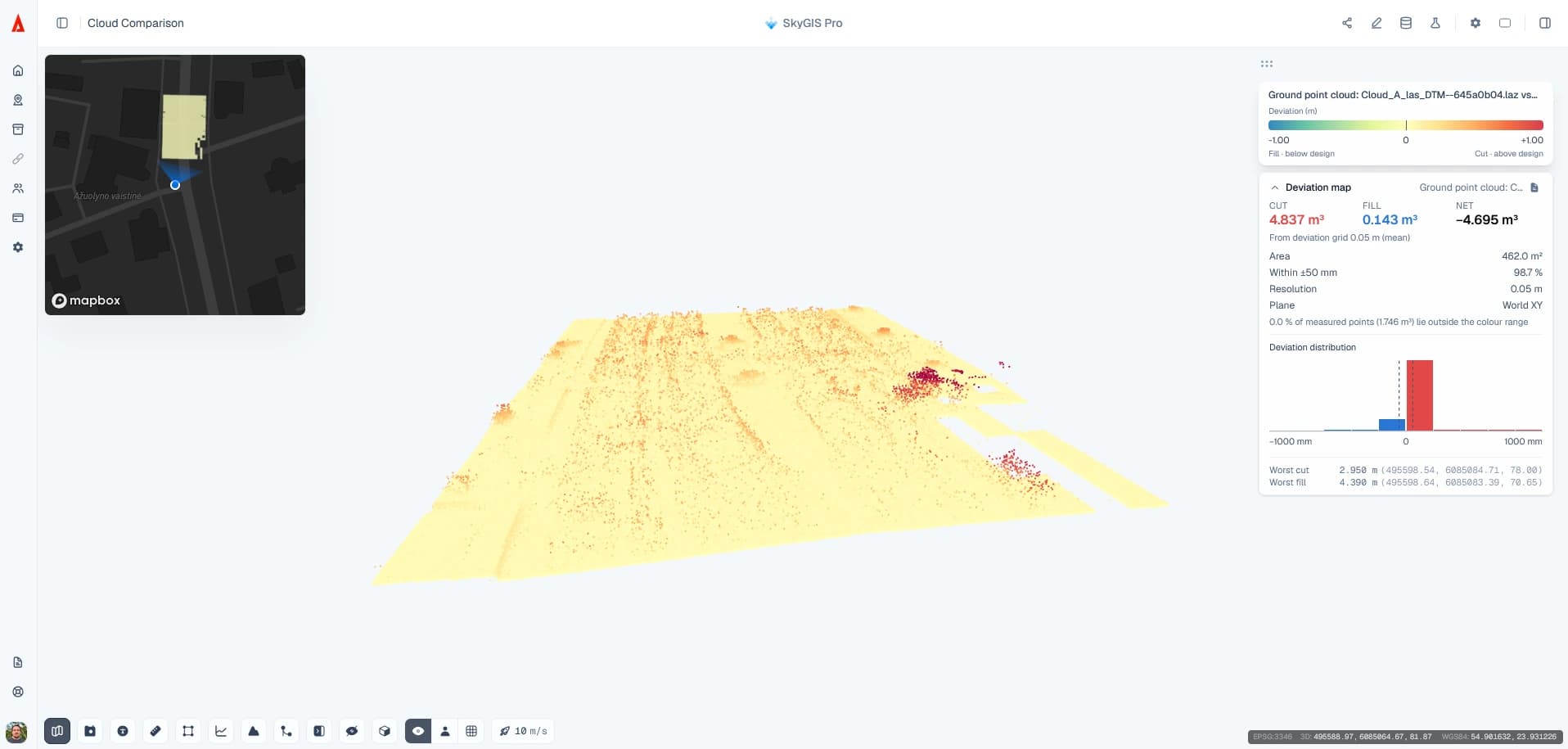
Scan comparison (deviation)
- Colours each point of the later survey by its vertical distance from the earlier one
- The earlier survey is gridded and used as the reference
- Statistics plus a colour scale you set to the range that matters
- Best for finding where something changed
Surface difference
- Samples both surveys as height surfaces on a common grid
- Reports cut, fill and net volume between them
- Runs over the whole footprint or inside a boundary you draw or import
- Best for working out how much material moved
How to compare two surveys of the same site
File by date
Upload each capture into the same project, in a folder named by its survey date.
Check the fit
Look at features that can't have moved (buildings, kerbs, hard standing) in both captures. An offset there shows up as false change everywhere.
Strip vegetation
Ground classification gives a ground-only cloud from each survey, so grass and parked plant don't read as change.
Run and read
With the earlier survey as the reference, run the comparison and check large differences against the original clouds before reporting them.
Reading a change result
Start with buildings, kerbs and other places you know haven't changed. Differences there point to an alignment problem between the captures, not ground movement, and they'll be in every other number too.
Then look along the edges of the data. Where only one survey has coverage, nothing is measured, and the surface difference treats that area as unmeasured rather than as zero change. Vegetation, different point density and shadows behind objects also affect what you see.
Typical job
Monthly drone surveys of an earthworks site
A site engineer receives a drone point cloud of an earthworks site every month, flown to the same ground control. Each one goes into the project in a folder named by its date.
For the monthly progress note, they run a deviation between this month and last month to see where work happened, then a surface difference over the same area for the volume. The PDF goes into the report, and the client's engineer gets a link to both surveys that opens without an account.
- Input
- Two aligned surveys a month apart
- Output
- Change map, cut and fill totals, PDF report
Questions
What does comparing two surveys tell me?
Where the ground has gone up or down between visits, by how much, and the volume of material that adds up to. It's the basis of a monthly progress note or a record of what changed on site.
Can I share the change results with a client?
Yes. The results go into a PDF report, and the client's engineer can open both surveys through a share link without an account.
Does SkyGIS align the two surveys for us?
No. Survey to the same control each time, or register the captures before upload, so they share one coordinate system. SkyGIS compares them as they are.
Is this a substitute for structural monitoring?
No. It shows height change between two captures, not 3D movement of a structure. Monitoring that has to stand up contractually needs a monitoring design, control and someone qualified to interpret it.
See it on one of your own datasets
Pro is priced around your team and data volumes. The quickest way to judge it is a 30-minute walkthrough on a dataset you already have.