Getting Started Guide
Everything you need to go from sign-up to your first project in under 10 minutes.
Create Your Account
Sign up for SkyGIS with your email address. Free accounts include 1 user, up to 5 projects, and 100 GB of storage - enough to evaluate the platform with real data.
Upload Your First Dataset
- 1
Create a new project
Click 'New Project' from your dashboard. Give it a descriptive name and optional tags for organization.
- 2
Choose your data
Drag and drop files or use the file picker. SkyGIS supports E57, LAS, TXT point clouds and DXF, SHP vector formats on the free tier.
- 3
Wait for processing
SkyGIS indexes and optimizes your data for streaming. Processing time depends on file size - a 10 GB scan typically takes 2-5 minutes.
- 4
Explore in the viewer
Once processing completes, your data loads automatically in the 3D viewer. Navigate with mouse or touch controls.
Navigate the Viewer
Mouse Controls
- Left click + drag - Orbit around the focal point
- Right click + drag - Pan the view
- Scroll wheel - Zoom in and out
- Double click - Center on a specific point
Touch Controls
- One finger drag - Orbit
- Two finger drag - Pan
- Pinch - Zoom
Use Measurement Tools
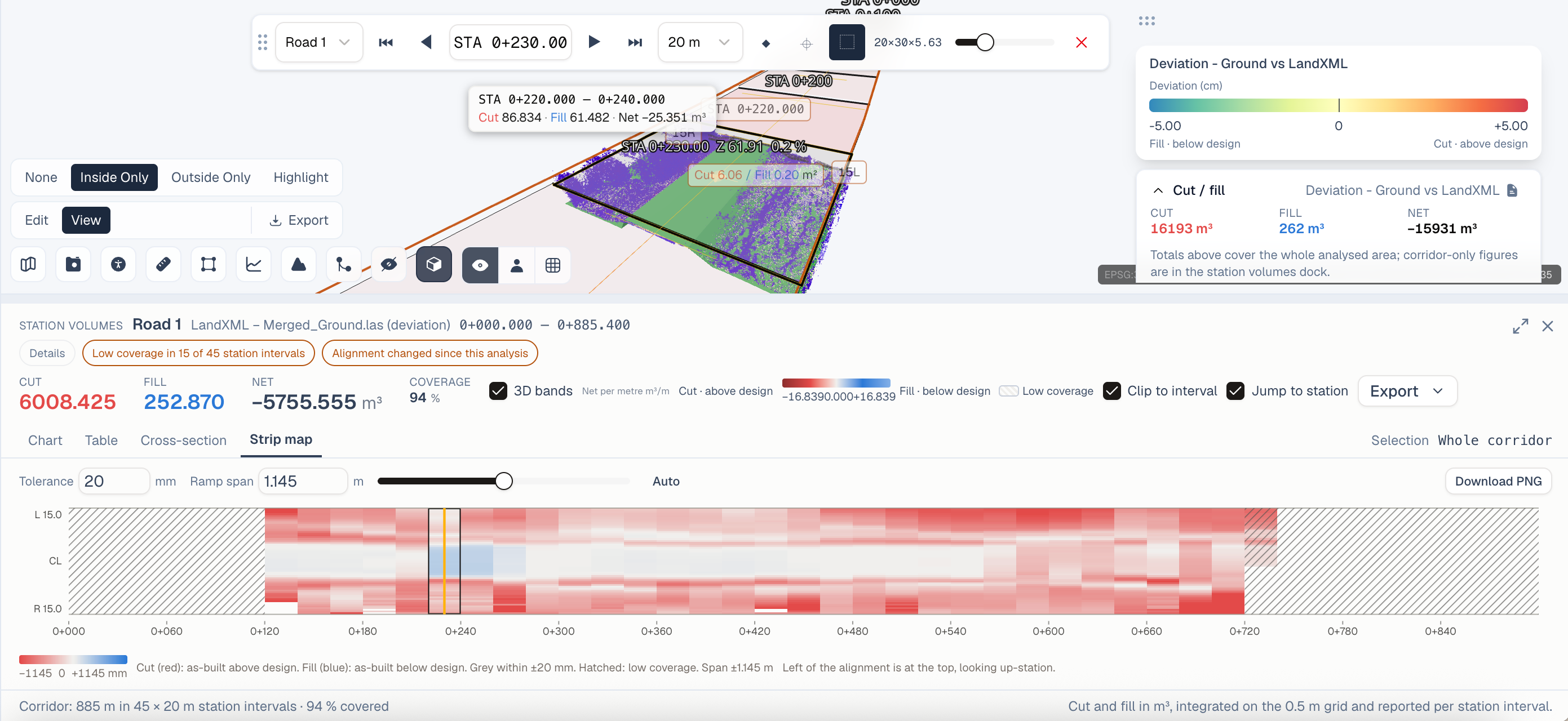
Access measurement tools from the toolbar on the left side of the viewer. Available tools include:
- Distance - Measure between two or more points
- Area - Calculate surface area of a defined polygon
- Volume - Compute volume within a selection (Plus plan and above)
- Elevation profile - Generate cross-sections along a path
Share Your Project
Click the Share button to generate a public link. Recipients can view your project in their browser without creating an account. You control whether they can use measurement tools or only view.
Next Steps
- Explore the Data Format Reference to learn about supported file types
- Read Collaboration Workflows to invite team members
- Check out Advanced Measurement Tools for power-user features