Construction Site Monitoring
Track construction progress, verify as-built conditions, and detect issues early with regular scan-based monitoring.
Why Scan-Based Monitoring?
Traditional construction monitoring relies on manual inspections, progress photos, and periodic reports. These methods are subjective, time-consuming, and often miss critical deviations until they become expensive problems.
Laser scanning provides objective, millimeter-accurate documentation of site conditions at every stage. When combined with SkyGIS's cloud platform, this data becomes immediately accessible to every stakeholder - from the site foreman to the client.
Workflow
- 1
Establish scan schedule
Define scanning intervals aligned with project milestones - weekly for active phases, monthly for slower periods.
- 2
Scan and upload
Scan the site with any LiDAR device. Upload E57 or LAS files directly to SkyGIS from the field using the mobile app (Enterprise plan).
- 3
Overlay with design
Import BIM/IFC models (Enterprise) or DWG/DXF drawings to compare as-built against design intent.
- 4
Analyze deviations
Use SkyGIS's measurement and comparison tools to identify discrepancies, track earthwork volumes, and verify structural positions.
- 5
Generate reports
Export annotated views, measurements, and comparison data for progress reports and client presentations.
Key Capabilities
Progress Tracking
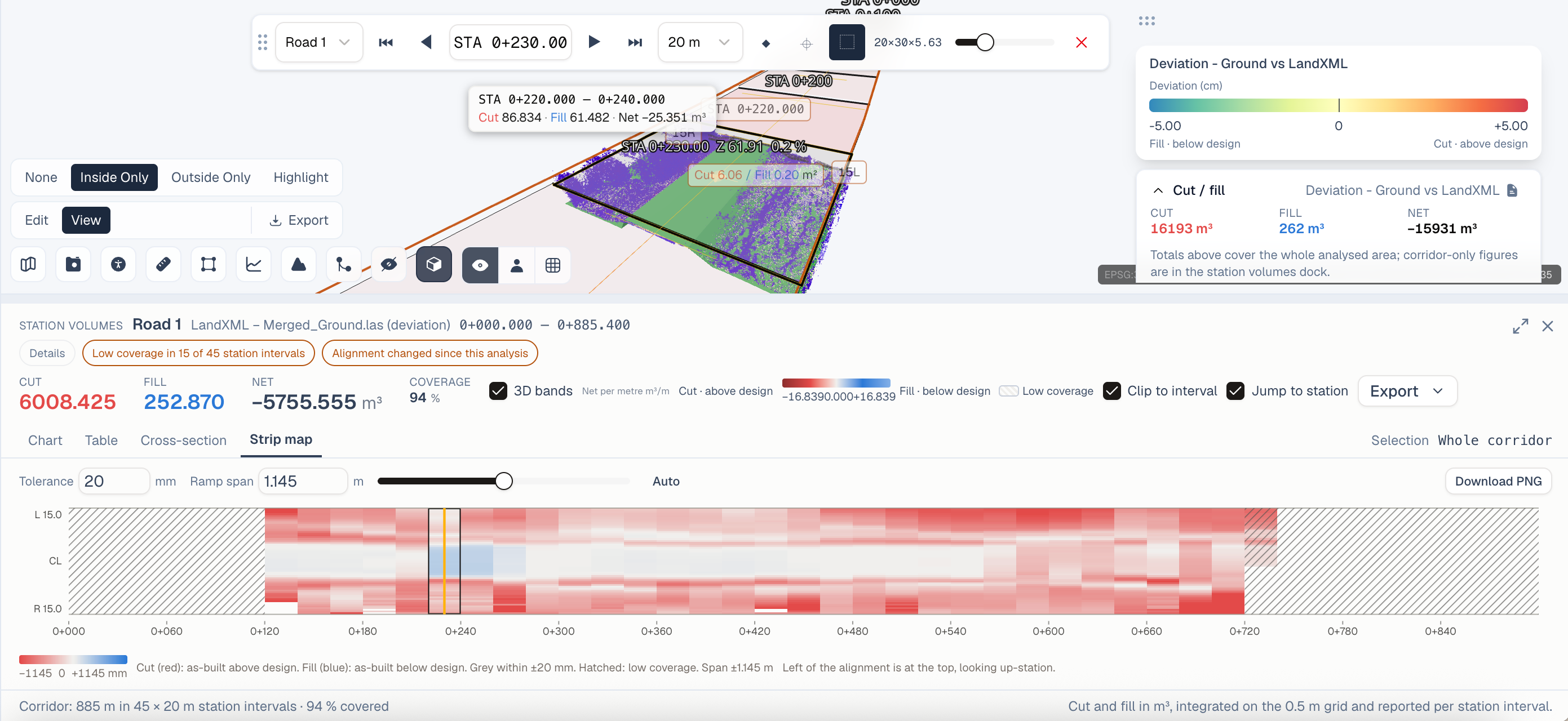
Compare periodic scans side by side or overlaid. SkyGIS's timeline view lets you scrub through scan dates to see exactly how the site evolved. Color-coded deviation maps highlight areas that diverge from the design.
Stockpile Calculations
Calculate cut and fill volumes directly from scan data. Track earthwork progress against planned quantities. Export volume reports for billing verification.
Clash Detection
Overlay MEP (mechanical, electrical, plumbing) designs against structural scans to identify spatial conflicts before they cause rework on site.
Real-World Impact
Recommended Plan
Plus is the recommended tier for construction monitoring, providing stockpile calculations and selection box exports. For BIM overlay capabilities and mobile app access, Enterprise adds IFC support, the conversion engine, and field-ready mobile tools.