Advanced Measurement Tools
Go beyond basic distance measurements. Learn stockpile calculations, cross-sections, selection box exports, and reporting.
Distance & Multi-Point Measurements
Click two or more points to measure distance along a path. SkyGIS snaps to the nearest point in the cloud for accuracy. Measurements display both horizontal distance and 3D (slope) distance.
- Point-to-point - Direct line between two points
- Polyline - Cumulative distance along multiple vertices
- Perpendicular offset - Distance from a point to a line or plane
Area Measurements
Define a polygon on the point cloud surface to calculate enclosed area. The polygon can be projected horizontally (plan area) or calculated as true surface area following the terrain.
Stockpile Calculations (Plus+)
Cut & Fill
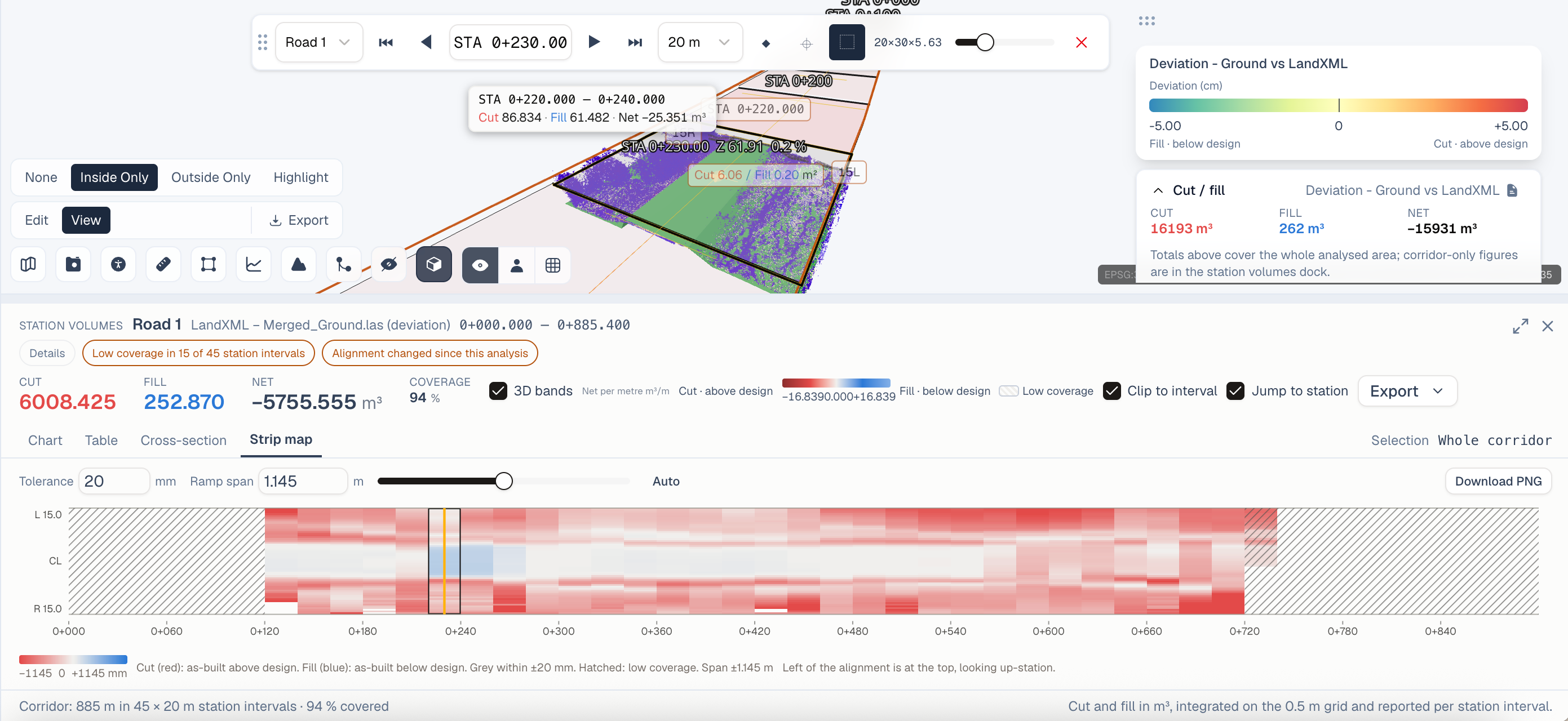
Select a region and define a reference plane. SkyGIS calculates the volume of material above (cut) and below (fill) the plane. Essential for earthwork estimation and progress tracking.
Stockpile Measurement
Quickly measure the volume of aggregate piles, excavated material, or stored goods. Define the base plane automatically from surrounding terrain or specify a custom elevation.
Temporal Comparison
Compare two scans of the same area taken at different times. SkyGIS computes the volume difference - how much material was added or removed between scans.
Cross-Sections & Profiles
Draw a line on the dataset to generate an elevation profile or cross-section view. Export cross-sections as DXF for use in CAD software. Define multiple parallel sections at regular intervals for corridor analysis.
Selection Box & Export (Plus+)
Define a 3D bounding box to isolate a portion of the point cloud. Adjust the box dimensions and position in all three axes. Export the selected points as a new LAS or E57 file for use in other software.
SQL & Reporting Engine (Plus+)
Write SQL queries against your spatial data for advanced filtering and analysis. The reporting engine generates formatted outputs combining measurements, screenshots, and metadata into PDF or HTML reports.
- Filter points by classification, intensity range, or spatial extent
- Aggregate measurements across multiple projects
- Schedule automated reports for recurring monitoring workflows
GIS Toolkit (Plus+)
The GIS toolkit provides spatial analysis functions familiar to GIS professionals:
- Buffer analysis - Generate zones around features
- Intersection - Find where datasets overlap
- Spatial queries - Select features within a region or near a point
- Attribute filtering - Filter and style features based on attribute values