BIM Integration
Combine Building Information Models with point cloud data for construction verification, clash detection, and as-built documentation.
Overview
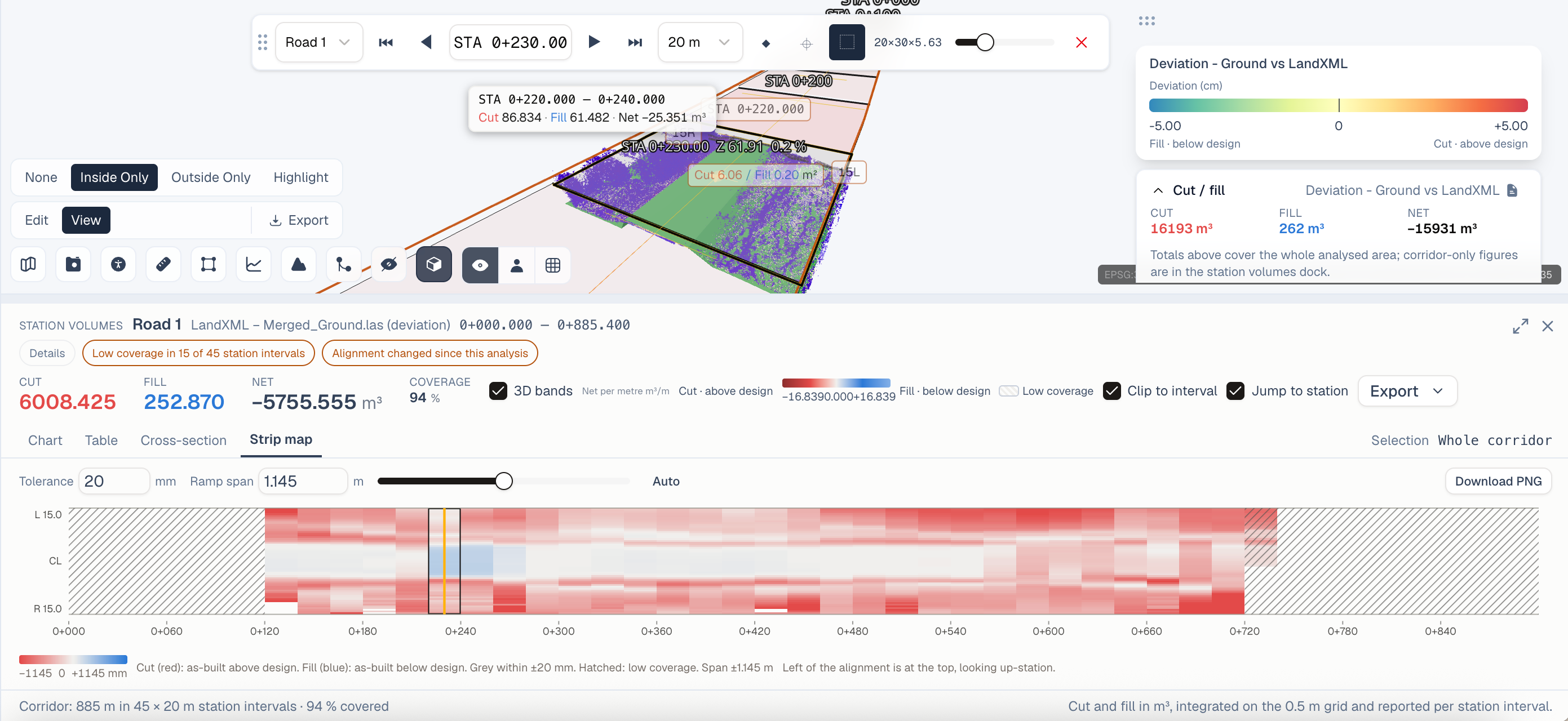
BIM models represent design intent - what should be built. Point clouds capture as-built reality - what was actually constructed. Overlaying both datasets in SkyGIS reveals discrepancies, validates progress, and creates accurate documentation.
Supported BIM Formats
- IFC (Enterprise) - Industry Foundation Classes, the open standard for BIM data exchange
- DWG/DXF (Core+) - AutoCAD 2D/3D drawings for simpler design overlays
- DGN (Enterprise) - Bentley MicroStation format
- LandXML (Enterprise) - Civil engineering alignment and surface data
- CityGML (Enterprise) - 3D city models for urban planning context
Getting Started with BIM + Point Clouds
- 1
Upload your point cloud
Upload your laser scan (E57, LAS) to a new or existing project. Wait for processing to complete.
- 2
Import the BIM model
Upload your IFC file to the same project. SkyGIS parses the model structure and renders it as a 3D overlay.
- 3
Align the datasets
If both datasets share a common coordinate system, alignment is automatic. Otherwise, use the manual alignment tool to match reference points.
- 4
Analyze
Use cross-sections, deviation coloring, and measurement tools to compare design vs. reality.
Key Workflows
Construction Verification
Compare as-built scans against design models at each construction phase. SkyGIS highlights structural elements that deviate beyond your specified tolerance - typically 10-25mm for structural work and 5mm for precision installations.
Clash Detection
Identify spatial conflicts between installed elements and the design. Common clashes include MEP (mechanical, electrical, plumbing) systems running through structural elements, or ductwork positioned too close to walls.
Progress Monitoring
Overlay periodic scans against the BIM model to track construction completion. Generate percentage-complete reports by building element, floor, or zone.
As-Built Documentation
Create accurate as-built records by documenting final conditions with scan data. These records are invaluable for facility management, renovation planning, and regulatory compliance.
Best Practices
- Coordinate systems - Establish a shared reference frame before scanning
- Scan resolution - 5mm point spacing or better for structural verification
- Regular intervals - Scan at consistent milestones for meaningful comparisons
- IFC export settings - Export from your BIM tool with geometry and property sets included